Mastering Google Ads for Small Business in 2026: Your Definitive Guide to Growth
1. Setting the Foundation: Strategic Planning for Google Ads Success in 2026
Before launching a single ad, a robust strategic foundation is paramount. Many small businesses rush into campaigns without clear objectives, leading to wasted spend and suboptimal results. In 2026, with increased automation and AI influencing ad delivery, a well-defined strategy acts as your compass.
Define Your Goals with Precision
Every dollar spent on Google Ads must tie back to a measurable business objective. Employ the SMART framework (Specific, Measurable, Achievable, Relevant, Time-bound) to define your goals. For a small business, this might look like:
* Specific: Increase qualified leads for our B2B software.
* Measurable: Achieve 50 new demo requests per month.
* Achievable: Based on current website traffic and conversion rates, this is a realistic uplift.
* Relevant: Directly contributes to our sales pipeline and revenue targets.
* Time-bound: Within the next quarter.
Other common goals include increasing website traffic, driving online sales, improving brand awareness, or generating phone calls. Be explicit about what success looks like.
Understand Your Target Audience Deeply
* Demographics: Age, gender, income, location.
* Psychographics: Interests, values, pain points, motivations, lifestyle.
* Behavioral Data: Online activities, search intent, past purchase behavior (if available).
* Business Context (for B2B): Industry, company size, job titles, key challenges they face.
Tools like Google Analytics 4 (GA4) provide rich insights into your current website visitors, while Google Trends and market research can help uncover broader audience behaviors.
Budget Allocation and ROI Projections
Small businesses often operate with tighter marketing budgets, making efficient allocation crucial. Your budget should align with your goals and expected return on investment (ROI).
* Start Small, Scale Up: Begin with a conservative daily or monthly budget to test the waters. Once campaigns show promise, gradually increase your spend.
* Calculate Your Customer Lifetime Value (CLTV): Understanding how much a customer is worth to your business helps determine how much you can afford to spend to acquire them.
* Project Your ROI: If your goal is to generate leads, estimate your conversion rate from ad click to lead, and from lead to sale. Then, factor in your average sale value. For example, if a click costs $2, and 100 clicks generate 5 leads, and 1 of those leads converts into a $1,000 sale, your Cost Per Acquisition (CPA) is $200, yielding a $800 profit. This framework helps justify your ad spend.
* Consider Seasonality: Factor in peak seasons or slow periods for your business when planning your budget.
Actionable Framework: The Google Ads Strategic Planner Template
Create a simple spreadsheet with columns for: Goal, Target Audience, Key Pain Points, Budget (Daily/Monthly), Expected CPA, Expected Conversion Rate, Projected Leads/Sales, and Projected ROI. This ensures every campaign is launched with a clear business case.
2. Mastering the Modern Google Ads Account Structure
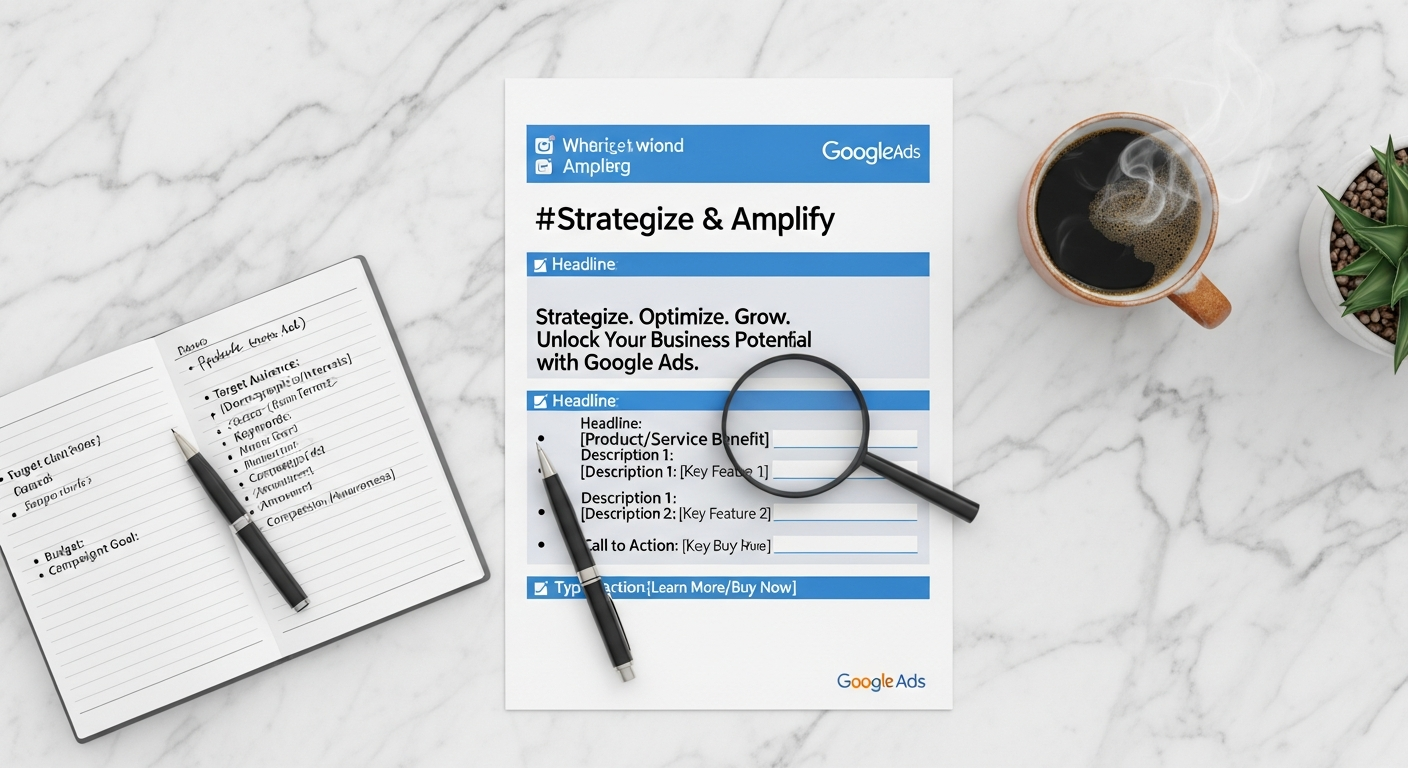
A well-structured Google Ads account is the backbone of efficient campaign management and optimal performance, especially as automation takes a more central role in 2026. A logical hierarchy ensures your ads are relevant to search queries, your budget is controlled, and your data is easily analyzed.
The Foundational Hierarchy: Account > Campaigns > Ad Groups > Keywords/Ads
* Account: Your single Google Ads account, linked to your business.
* Campaigns: Each campaign should have a specific goal (e.g., brand awareness, lead generation, sales) and often targets a distinct product/service or geographic area.
* Campaign Types: In 2026, you’ll primarily leverage Search, Display, Video, Shopping, and the increasingly dominant Performance Max campaigns. Performance Max is particularly powerful for small businesses as it leverages AI to find converting customers across all Google channels.
* Settings: Define your daily budget, bidding strategy (e.g., Maximize Conversions, Target CPA, Maximize Conversion Value), location targeting, and ad scheduling at the campaign level.
* Ad Groups: Within each campaign, create tightly themed ad groups. An ad group should focus on a very specific set of keywords and corresponding ads.
* Single Keyword Ad Groups (SKAGs) vs. Thematic Ad Groups: While SKAGs were once popular for hyper-relevance, current best practices often lean towards thematic ad groups with 5-15 closely related keywords. This allows Google’s AI to optimize more effectively with broader data signals, especially with responsive search ads.
* Keywords: These are the search terms you want your ads to appear for.
* Match Types:
* Broad Match: Offers broad reach but can be less precise (use with caution and negative keywords).
* Phrase Match: Your ad shows for searches that include your keyword phrase, plus words before or after.
* Exact Match: Your ad shows only for searches that are the same as your keyword or very close variations.
* Negative Keywords: Crucial for small businesses. These prevent your ads from showing for irrelevant searches, saving budget. For example, if you sell “premium coffee,” add “free” as a negative keyword.
* Keyword Research: Use Google Keyword Planner, Google Trends, and competitor analysis tools (e.g., Semrush’s Keyword Magic Tool) to discover high-intent keywords relevant to your small business. Focus on long-tail keywords (3+ words) for higher conversion rates and lower competition.
* Ads: The actual creative that users see.
Leveraging Performance Max for Small Businesses
Performance Max (PMax) is Google’s AI-driven campaign type designed to maximize conversion value across all Google Ads channels (Search, Display, Discover, Gmail, Maps, YouTube) from a single campaign. For small businesses with limited time and resources, PMax can be a game-changer.
* Asset Groups: Within PMax, you create “asset groups” which are collections of headlines, descriptions, images, videos, and logos. Google’s AI then mixes and matches these assets to create the most effective ad combinations for different audiences and placements.
* Audience Signals: Provide PMax with “audience signals” (e.g., custom segments, your customer lists, website visitor lists) to guide the AI towards your ideal customers. This doesn’t limit your reach but helps the system learn faster.
* Conversion Tracking: PMax relies heavily on accurate conversion tracking. Ensure GA4 is properly integrated and set up to track all relevant conversions (purchases, leads, calls).
Step-by-Step: Building a Thematic Ad Group
1. Identify a core product/service: E.g., “Eco-friendly cleaning supplies.”
2. Brainstorm related keywords: “sustainable cleaning products,” “organic household cleaners,” “natural home cleaning,” “environmentally safe detergents.”
3. Group similar keywords: Place these in one ad group.
4. Craft relevant ads: Create responsive search ads (RSAs) and potentially responsive display ads (RDAs) that directly address these keywords and the user’s intent.
5. Add negative keywords: “DIY cleaning,” “homemade cleaner recipes,” “industrial cleaning.”
This structured approach ensures your ads are highly relevant, leading to better Quality Scores, lower costs, and higher conversion rates.
3. Crafting High-Converting Ad Copy and Creatives
Even with the perfect strategy and account structure, your ads won’t perform if they don’t resonate with your audience. In 2026, the emphasis is on dynamic, personalized, and visually compelling creatives that adapt to user intent and platform.
Mastering Responsive Search Ads (RSAs)
RSAs are the standard for search campaigns. Instead of creating multiple static ads, you provide up to 15 headlines and 4 descriptions. Google’s AI then tests various combinations to determine the most effective ones for each search query.
* Headlines (Max 30 characters):
* Include Keywords: Incorporate your target keywords naturally.
* Highlight Unique Selling Propositions (USPs): What makes your small business special? (e.g., “Free Shipping,” “24/7 Support,” “Local Experts”).
* Call to Action (CTA): “Shop Now,” “Get a Quote,” “Learn More.”
* Benefit-Oriented: Focus on what the customer gains.
* Descriptions (Max 90 characters):
* Expand on USPs: Provide more detail about your benefits.
* Address Pain Points: Show you understand the customer’s needs and offer solutions.
* Reinforce CTA: Encourage the desired action.
* Social Proof (if applicable): “Rated 5 Stars,” “Trusted by 1000s.”
* Pinning (Use Sparingly): You can “pin” certain headlines or descriptions to specific positions. While this provides control, it can limit Google’s ability to optimize. Use it for essential messaging like brand name or a crucial offer.
Actionable Framework: The AIDA Model for Ad Copy
* Attention: Catch their eye (e.g., compelling headline, strong offer).
* Interest: Engage them (e.g., highlight benefits, solve a pain point).
* Desire: Make them want it (e.g., social proof, urgency, unique features).
* Action: Tell them what to do (e.g., clear CTA).
Leveraging Ad Extensions for Enhanced Visibility
Ad extensions provide additional information and CTAs, increasing your ad’s visibility and click-through rate (CTR). They also often improve your Quality Score.
* Sitelink Extensions: Link to specific pages on your website (e.g., “Our Services,” “About Us,” “Contact”).
* Callout Extensions: Highlight key features or benefits (e.g., “Free Consultations,” “Eco-Friendly Materials”).
* Structured Snippet Extensions: Showcase specific aspects of your products/services (e.g., “Types: E-commerce, Local SEO, Content Marketing”).
* Call Extensions: Allow users to call your business directly from the ad. Essential for service-based small businesses.
* Location Extensions: Display your business address and a map link. Vital for local businesses.
* Price Extensions: Show prices for specific products or services.
* Image Extensions: Add compelling visuals to your search ads, significantly boosting engagement. These are becoming increasingly important for standing out.
Visuals and Video for Performance Max and Display Campaigns
For PMax and Display campaigns, high-quality visuals and videos are non-negotiable.
* Images:
* High Resolution: Use professional, high-quality images.
* Variety: Provide different aspect ratios (square, landscape) and types (product shots, lifestyle, branding).
* Relevance: Images should clearly relate to your product/service and brand.
* Avoid Text Overload: Let the image speak for itself; minimal text is best.
* Videos:
* Keep it Short and Engaging: 15-30 seconds is often ideal for ad creatives.
* Clear Message: Convey your value proposition quickly.
* Strong Visuals & Audio: Professional production quality matters.
* Include a CTA: Guide viewers on the next step.
* Subtitles: Many users watch videos without sound.
Tip for Small Businesses: Don’t feel you need a huge budget for video. Tools like Canva or even well-shot smartphone footage can be effective if the message is clear and compelling.
4. Leveraging AI and Automation for Optimal Performance
The landscape of Google Ads in 2026 is heavily influenced by artificial intelligence and machine learning. These technologies are no longer just an enhancement; they are fundamental to achieving superior campaign performance, especially for small businesses with limited time for manual optimization.
Smart Bidding Strategies: Your AI-Powered Auctioneer
Smart Bidding strategies use Google’s AI to optimize bids in real-time for conversions or conversion value. They analyze a vast array of signals (device, location, time of day, user behavior, etc.) to set the optimal bid for each individual auction.
* Maximize Conversions: Google will aim to get you the most conversions possible within your budget. Ideal for businesses focused purely on lead generation or sales volume.
* Target CPA (Cost Per Acquisition): You set a target average CPA, and Google optimizes bids to help achieve that goal. Great for businesses with a clear understanding of their desired cost per lead/sale.
* Maximize Conversion Value: Google aims to maximize the total value of your conversions within your budget. Perfect for e-commerce businesses tracking varying product values.
* Target ROAS (Return On Ad Spend): You set a target ROAS (e.g., 400% means you want $4 back for every $1 spent), and Google optimizes bids to achieve that. Another excellent choice for e-commerce.
Recommendation for Small Businesses: Start with “Maximize Conversions” to gather initial conversion data, then transition to “Target CPA” or “Target ROAS” once you have enough conversion history (typically 30+ conversions per month per campaign) to give the AI sufficient data to learn from.
Performance Max: The AI-Driven All-in-One Campaign
As discussed, Performance Max is Google’s most advanced AI-driven campaign type. It’s designed to deliver conversions across all of Google’s inventory.
* How AI Works in PMax:
* Automated Bidding: Uses Smart Bidding to optimize for your conversion goals.
* Audience Targeting: Leverages your audience signals (first-party data, custom segments) to find similar high-value customers across all channels.
* Creative Optimization: Automatically tests different combinations of your provided assets (headlines, descriptions, images, videos) to show the most effective ad variations.
* Placement Optimization: Identifies the best channels and placements to reach converting customers.
* Key for Small Businesses: PMax reduces the manual effort of managing separate campaigns for Search, Display, YouTube, etc. It consolidates management and leverages Google’s vast data and AI capabilities to find customers you might not have explicitly targeted.
Leveraging AI-Powered Insights and Recommendations
The Google Ads platform itself provides valuable AI-driven insights and recommendations to improve your campaigns.
* Recommendations Tab: Regularly check the “Recommendations” section in your Google Ads account. It offers suggestions based on your account’s performance data, trends, and best practices. These can include adding new keywords, improving ad copy, adjusting bids, or adding new extensions.
* Optimization Score: This score estimates how well your Google Ads account is set up to perform. Higher scores indicate better optimization. Implement recommended actions to improve your score.
* GA4 Integration: Ensure your Google Ads account is linked to Google Analytics 4. GA4’s predictive capabilities (e.g., “likely purchasers in the next 7 days”) can feed into Google Ads’ AI for even smarter targeting and bidding.
* Automated Rules: Set up automated rules for common tasks like pausing low-performing keywords, increasing bids for high-performing ones, or adjusting budgets based on performance metrics. This saves time and ensures campaigns react quickly to changes.
Practical Tip: Don’t blindly accept all recommendations. Review them critically, especially those that suggest significant budget increases or broad changes. Always understand the “why” behind a recommendation and how it aligns with your specific business goals. AI is a tool; your strategic oversight is still crucial.
5. Precision Targeting and Audience Segmentation
Reaching the right people at the right time is the cornerstone of effective advertising. In 2026, Google Ads offers an array of sophisticated targeting options that allow small businesses to pinpoint their ideal customers with remarkable accuracy, minimizing wasted ad spend.
Geographic Targeting: Localize Your Reach
For many small businesses, location is paramount.
* Radius Targeting: Target users within a specific radius around your business address. Ideal for brick-and-mortar stores or local service providers.
* City, State, Country Targeting: Reach customers in specific administrative regions.
* Exclusion Targeting: Exclude areas that are irrelevant or unprofitable.
* Advanced Location Options: Target based on “People in or regularly in your targeted locations” for more precision, or “People searching for your targeted locations” for those planning to visit.
Demographic Targeting: Beyond the Basics
While basic demographics (age, gender, household income) are standard, Google Ads allows for more nuanced demographic targeting.
* Parental Status: Target or exclude based on whether users are parents.
* Household Income (US only): Target based on estimated household income tiers.
* Affinity Audiences: Reach people based on their interests and habits (e.g., “cooking enthusiasts,” “tech enthusiasts,” “small business owners”). These are great for brand awareness campaigns.
* In-Market Audiences: Target users who are actively researching products or services similar to yours and are closer to making a purchase (e.g., “business software,” “home services,” “automotive”). These are highly valuable for conversion-focused campaigns.
Custom Audiences: Tailoring to Your Niche
Custom audiences allow you to define your target audience with greater specificity.
* Custom Segments (formerly Custom Intent & Custom Affinity): Define an audience by entering relevant keywords, URLs, or apps that your ideal customer would be interested in. For example, a B2B SaaS company might create a custom segment based on “competitor software URLs” or “industry-specific forum keywords.”
* Customer Match: Upload your existing customer email lists (hashed for privacy) to Google Ads. Google will match these to its user base, allowing you to target existing customers with specific promotions or exclude them from acquisition campaigns. This is invaluable for CRM strategies and nurturing leads.
* Remarketing/Retargeting: Show ads to people who have previously interacted with your website or app. These users are already familiar with your brand and are often closer to conversion. Segment your remarketing lists (e.g., “visitors who abandoned cart,” “past purchasers,” “blog readers”) for highly tailored messaging.
* Dynamic Remarketing: For e-commerce, show past website visitors ads for the exact products they viewed.
Exclusion Targeting: Saving Your Budget
Just as important as knowing who to target is knowing who not to target.
* Negative Keywords: As mentioned, prevent your ads from showing for irrelevant searches.
* Negative Audiences: Exclude specific audiences from seeing your ads (e.g., existing customers from acquisition campaigns, or users who have already converted).
* Placement Exclusions: For Display and Video campaigns, exclude specific websites or apps where you don’t want your ads to appear (e.g., low-quality sites, children’s apps).
Actionable Framework: The Audience Matrix
Create a matrix for each campaign:
| Audience Segment | Targeting Type (e.g., In-Market, Remarketing) | Key Messaging | Expected CPA |
| :—————- | :——————————————— | :———— | :———– |
| Small Business Owners | In-Market: “Business Software” | Solve their efficiency pain points | $X |
| Past Website Visitors | Remarketing: “Abandoned Cart” | Offer a discount to complete purchase | $Y |
| Local Customers | Geo-targeting: 5-mile radius | Emphasize local convenience | $Z |
This structured approach ensures that every targeting decision is intentional and aligned with your campaign goals.
6. Measurement, Optimization, and Future-Proofing Your Campaigns
Launching campaigns is only the beginning. Continuous measurement and optimization are critical for maximizing ROI, especially as Google Ads evolves. In 2026, data literacy and an agile approach are key to staying ahead.
Robust Conversion Tracking with Google Analytics 4 (GA4)
GA4 is the foundation for all your conversion tracking in 2026. It’s event-based, offering a more flexible and powerful way to track user interactions across websites and apps.
* Set Up Key Events: Identify all valuable actions on your website (e.g., form submissions, phone calls, purchases, video views, button clicks) and configure them as events in GA4.
* Mark as Conversions: Select which events in GA4 should be considered “conversions” for your business goals.
* Link to Google Ads: Ensure your GA4 property is correctly linked to your Google Ads account to import these conversions. This data is vital for Smart Bidding strategies.
* Enhanced Measurement: Leverage GA4’s “Enhanced Measurement” feature for automatic tracking of common events like scrolls, outbound clicks, site search, and file downloads.
Key Performance Indicators (KPIs) for Small Businesses
Focus on metrics that directly correlate with your business goals:
* Conversions & Conversion Rate: The ultimate measure of success. How many desired actions are being taken, and at what rate?
* Cost Per Acquisition (CPA): How much does it cost to get one lead or sale? Compare this to your customer lifetime value (CLTV).
* Return On Ad Spend (ROAS): For e-commerce, what revenue are you generating for every dollar spent?
* Click-Through Rate (CTR): Indicates how relevant and compelling your ads are. A higher CTR generally means a better Quality Score.
* Average Position & Impression Share: How often your ads are showing and where. Important for visibility.
* Quality Score: Google’s rating of your keyword, ad, and landing page relevance. Higher Quality Scores lead to lower costs and better ad positions.
Impression Share: The percentage of impressions your ads received compared to the total number of impressions they could* have received. Helps identify opportunities for growth.
Continuous Optimization Framework: The P-O-E-M Cycle
Implement a continuous optimization cycle:
1. Plan: Based on your goals and current data, identify areas for improvement.
2. Optimize: Make specific changes.
* Keyword Management: Add new keywords, pause low-performing ones, refine match types, add negative keywords.
* Bid Adjustments: Optimize bids based on device, location, time of day, and audience segments.
* Ad Copy & Creative Testing (A/B Testing): Continuously test different headlines, descriptions, images, and videos to improve CTR and conversion rates. Let RSAs do the heavy lifting here, but monitor asset performance.
* Landing Page Optimization: Ensure your landing pages are fast, mobile-friendly, relevant to the ad, and have a clear call to action. Use tools like Google PageSpeed Insights.
* Audience Refinement: Adjust targeting based on performance data – expand high-performing audiences, narrow down underperforming ones.
3. Evaluate: Analyze the impact of your changes using GA4 and Google Ads reports. Did the changes lead to the desired outcome?
4. Monitor: Keep a close watch on your campaigns daily or weekly, depending on your budget and activity. Look for sudden drops in performance or unexpected spikes in cost.
Future-Proofing Your Google Ads Strategy for 2026 and Beyond
The digital advertising world never stands still.
* Embrace AI and Automation: Don’t fight it. Learn how to guide Google’s AI effectively with strong conversion tracking, clear goals, and good quality assets.
* Prioritize First-Party Data: With the deprecation of third-party cookies, collecting and leveraging your own customer data (e.g., email lists, website visitor data) will be even more critical for effective targeting and personalization.
* Focus on Privacy and Trust: Be transparent with users about data collection and ensure your website is compliant with privacy regulations. Trust builds long-term customer relationships.
* Diversify Ad Formats: Don’t rely solely on search ads. Explore Video, Display, and especially Performance Max to reach customers at different stages of their journey.
* Stay Informed: Follow industry news, Google Ads updates, and best practices. Dedicate time each month to learning and adapting.
By adopting this proactive and data-driven approach, your small business can leverage Google Ads not just as a marketing channel, but as a powerful engine for sustainable growth in 2026 and beyond.
Conclusion: Your Path to Google Ads Mastery in 2026
Navigating the complexities of Google Ads in 2026 might seem daunting, but with a strategic mindset and a commitment to continuous learning, your small business can unlock unparalleled growth opportunities. The core principles remain steadfast: understand your audience, define clear goals, and track your performance rigorously. However, the methods have evolved. Embracing AI-driven tools like Performance Max and Smart Bidding, mastering responsive ad formats, and prioritizing first-party data are no longer optional—they are essential for competitive advantage.
By implementing the actionable frameworks and step-by-step guidance provided in this article, you are not just running ads; you are building a resilient, data-informed marketing engine. Treat Google Ads not as an expense, but as an investment in your business’s future. With diligent effort and strategic execution, 2026 can be the year your small business achieves unprecedented online visibility, lead generation, and revenue growth through a powerful Google Ads presence.
“`json
{
“@context”: “https://schema.org”,
“@graph”: [
{
“@type”: “Article”,
“mainEntityOfPage”: {
“@type”: “WebPage”,
“@id”: “https://kacerr.com/google-ads-small-business-2026”
},
“headline”: “Mastering Google Ads for Small Business in 2026: Your Definitive Guide to Growth”,
“image”: [
“https://kacerr.com/images/google-ads-small-business-2026-hero.jpg”,
“https://kacerr.com/images/google-ads-small-business-2026-og.jpg”
],
“datePublished”: “2024-10-27T08:00:00+00:00”,
“dateModified”: “2024-10-27T08:00:00+00:00”,
“author”: {
“@type”: “Person”,
“name”: “Kacerr Editorial Team”
},
“publisher”: {
“@type”: “Organization”,
“name”: “Kacerr”,
“logo”: {
“@type”: “ImageObject”,
“url”: “https://kacerr.com/images/kacerr-logo.png”
}
},
“description”: “A comprehensive, practical guide for small businesses, entrepreneurs, and B2B marketers on running Google Ads effectively in 2026. Learn strategic planning, account structure, ad copy, AI leverage, targeting, and optimization for maximum ROI.”,
“articleSection”: [
“Marketing & Growth”
],
“keywords”: “Google Ads for small business 2026, Google Ads strategy, PPC for small business, digital advertising, online marketing, small business growth, ad optimization, AI in advertising, Performance Max, GA4”
},
{
“@type”: “FAQPage