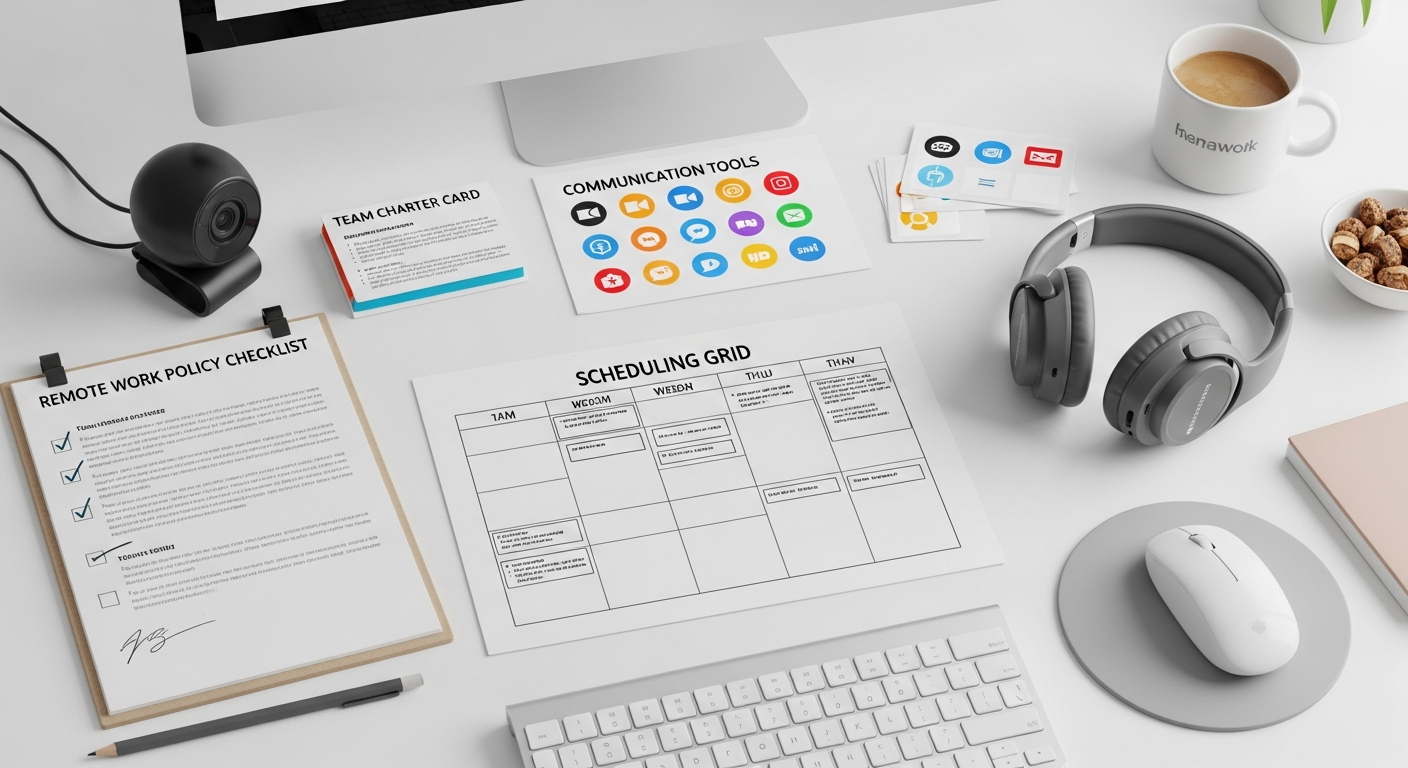
Updated March 2026. The landscape of work has fundamentally shifted, and for small businesses, adapting to this new reality isn’t just about flexibility; it’s about survival and growth. As we approach the new year, having a robust remote work policy guide small business 2026 is no longer a luxury but a strategic imperative.
This comprehensive guide is designed specifically for small business owners and operators navigating the complexities of a distributed workforce. We’ll cut through the noise, providing practical frameworks, actionable steps, and real-world tools to help you craft a policy that attracts top talent, boosts productivity, and safeguards your operations. From legal considerations to fostering a vibrant remote culture, preparing for the future means building a resilient, adaptable, and efficient remote work infrastructure that drives your business forward.
The Strategic Imperative of a Future-Ready Remote Work Policy
The transition to remote work, accelerated by recent global events, has cemented its place as a permanent fixture in the modern business world. For small businesses, this isn’t just about offering a perk; it’s about competitive advantage, talent retention, and operational resilience. By 2026, businesses without a clear, well-articulated distributed work framework will find themselves at a significant disadvantage. Data from Gartner suggests that 75% of knowledge workers will prefer hybrid or remote models by 2025, emphasizing the urgency for SMBs to adapt.
A well-defined policy offers numerous benefits. Firstly, it expands your talent pool beyond geographical limitations, allowing you to hire the best person for the job, regardless of their location. This can lead to increased diversity, specialized skills, and reduced recruitment costs. Secondly, it often results in higher employee satisfaction and retention. Employees value the flexibility, leading to lower turnover rates – a critical factor for SMBs where every hire matters. A study by Owl Labs found that remote employees are 22% happier than in-office workers. Thirdly, it can lead to significant cost savings on office space, utilities, and commuting allowances, freeing up capital for growth initiatives. Consider an SMB saving $500-$1000 per employee annually on office space alone.
However, the absence of a policy carries substantial risks. Without clear guidelines, businesses face potential compliance issues, security vulnerabilities, and inconsistent employee experiences. Imagine an employee requesting specific equipment or claiming expenses without a documented procedure – this can lead to disputes, legal challenges, and financial strain. Security risks, such as data breaches or unauthorized access, are amplified without explicit protocols for remote access, device management, and secure communication channels. Furthermore, an undefined remote work environment can erode company culture, foster feelings of isolation, and lead to decreased productivity due to a lack of structure or accountability. Proactive policy development mitigates these risks, ensuring your small business remains agile, secure, and attractive to future talent.
Core Components and Frameworks of a Distributed Work Policy
Building a robust remote work policy requires a comprehensive approach, addressing various facets of employment and operations. For small businesses, clarity and enforceability are paramount. Your policy should clearly define eligibility, expectations, technological requirements, and legal compliance.
Eligibility Criteria
Who can work remotely? Is it role-dependent (e.g., customer service vs. manufacturing)? Do employees need to demonstrate a certain level of performance or tenure? For instance, some SMBs require employees to complete a 3-6 month probationary period in-office before being considered for remote work.
Performance Expectations and Accountability
How will performance be measured? Focus on outcomes and results rather than hours spent online. Implement regular check-ins (e.g., daily stand-ups, weekly 1:1s) and performance reviews tailored for remote workers. Establish clear communication protocols, including preferred tools (e.g., Slack for instant messages, Zoom for meetings) and expected response times. For example, “Respond to urgent messages within 1 hour during business hours.”
Technology and Equipment
Will the company provide equipment (laptops, monitors, headsets) or will employees use their own (BYOD)? If BYOD, what are the minimum specifications and security requirements? Specify internet speed requirements (e.g., minimum 50 Mbps download, 10 Mbps upload) and provide guidelines for IT support and troubleshooting. Consider a stipend for home office setup, perhaps a one-time payment of $200-$500, or a monthly internet stipend of $30-$50, to ensure employees have adequate resources.
Work Hours and Availability
Work hours need explicit definition. Will remote employees adhere to standard business hours, or will there be flexibility? If flexible, what are the core hours for collaboration? Clearly state expectations around breaks, overtime, and time zone differences if you have a distributed team.
Data Security and Confidentiality
This is non-negotiable. Mandate VPN usage, strong password policies, multi-factor authentication (MFA), and secure handling of sensitive company and customer data. Require employees to work in private, secure environments and not in public Wi-Fi zones without proper security measures. You must also explicitly address intellectual property protection to ensure proprietary information remains secure off-site. Regular security awareness training should be mandatory for all remote staff, perhaps quarterly, to reinforce best practices. These security measures are crucial components of a comprehensive small business risk management strategy, ensuring your small business operations management remains resilient against cyber threats.
[INLINE IMAGE 2: A small business manager reviewing a remote work policy document on a laptop with a cup of coffee.]
Essential Technology Categories for Seamless Remote Operations
The backbone of any successful remote work strategy is a robust and integrated technology stack. For small businesses, choosing the right tools means balancing functionality, ease of use, security, and cost-effectiveness. Investing in the right platforms can bridge geographical gaps, enhance collaboration, and ensure operational continuity. Let’s break down the essential categories.
Communication & Collaboration: This is the foundation. Tools like Slack (starting around $7.25/user/month for Pro) or Microsoft Teams (included with Microsoft 365 Business Basic, ~ $6/user/month) are crucial for instant messaging, group discussions, and quick file sharing. For video conferencing, Zoom (Pro plan starts at $149.90/year/license) or Google Meet (included with Google Workspace, Business Starter at $6/user/month) are industry standards, offering reliable video, screen sharing, and recording capabilities. Set clear guidelines on which tool to use for what purpose (e.g., Slack for quick questions, Zoom for scheduled meetings).
Project Management & Task Tracking: Keeping remote teams aligned on goals and tasks is vital. Trello (free for small teams, Business Class at $10/user/month) is great for visual task management with Kanban boards. Asana (Starter at $10.99/user/month) or Monday.com (Basic at $9/user/month) offer more robust features for complex projects, workflow automation, and reporting. These tools provide transparency on who is working on what, deadlines, and overall project progress, crucial for maintaining accountability without constant oversight.
Document Management & Cloud Storage: Secure and accessible file storage is non-negotiable. Google Drive (included with Google Workspace) or Microsoft OneDrive/SharePoint (included with Microsoft 365) offer robust cloud storage, version control, and collaborative editing features. Ensure all sensitive documents are stored in these centralized, secure locations with appropriate access permissions. Implementing a strict folder structure and naming conventions can prevent chaos.
Security & IT Management: This area requires particular attention. A reliable VPN (Virtual Private Network) solution (e.g., NordLayer, ExpressVPN for Business – costs vary but start around $7-10/user/month) is essential for secure access to company networks. Endpoint detection and response (EDR) software (e.g., CrowdStrike, SentinelOne – enterprise pricing, but smaller solutions exist) for company-issued devices is highly recommended. For password management, LastPass Business ($4/user/month) or 1Password Business ($7.99/user/month) ensure strong, unique passwords across the team. Implementing Multi-Factor Authentication (MFA) across all critical applications is a must. Consider a remote IT support solution like TeamViewer or AnyDesk for quick troubleshooting, often costing $20-$50 per month for a basic license.
HR & Payroll: Tools like Gusto (Core plan starts at $40/month + $6/person) or Rippling (custom quotes, but comprehensive) streamline HR tasks, payroll, benefits administration, and onboarding for remote employees, ensuring compliance and efficiency across different states. Integrate these tools early to minimize administrative burden and ensure accurate record-keeping.
[INLINE IMAGE 3: A split-screen illustration showing various remote collaboration tools like video conferencing, project management boards, and chat applications.]
How Can You Optimize Productivity in a Distributed Model?
Managing productivity in a remote setting requires a shift from traditional oversight to an outcome-focused approach. Small businesses must establish clear expectations, implement effective tracking mechanisms, and foster a culture of trust and autonomy. A key framework for this is defining clear, measurable Key Performance Indicators (KPIs) for every role. Instead of monitoring “desk time,” focus on deliverables. For a sales role, KPIs might include “number of qualified leads generated per week” or “conversion rate.” For a marketing role, “website traffic increase” or “social media engagement.” Review these KPIs weekly or bi-weekly in 1:1 meetings to provide continuous feedback.
Effective Management Styles are crucial. Micromanagement is a productivity killer in remote environments. Instead, adopt a coaching and empowering approach. Managers should act as facilitators, removing roadblocks and providing resources, rather than constantly checking in. Implement a “trust, but verify” philosophy. Schedule regular, structured check-ins (e.g., a 15-minute daily stand-up, a 30-minute weekly 1:1) to discuss progress, challenges, and priorities. Tools like Google Calendar or Outlook Calendar can be used to schedule recurring meetings, and project management software like Asana provides transparency without constant direct questioning.
Feedback Loops and Performance Reviews must be adapted for remote teams. Conduct quarterly performance reviews with specific, actionable feedback tied to KPIs. Encourage 360-degree feedback to get a holistic view of performance. Implement peer recognition programs (e.g., a dedicated Slack channel for shout-outs, small gift card rewards) to boost morale and highlight contributions. For instance, a small business could allocate a monthly budget of $100-$200 for peer-nominated awards.
Time Management and Self-Discipline are critical for remote employees. Provide resources and training on effective time blocking, distraction management, and setting boundaries between work and personal life. Encourage the use of productivity techniques like the Pomodoro Technique (25 minutes of focused work, 5-minute break) or time-tracking apps (e.g., Toggl Track, Clockify – free tiers available) for personal accountability, though avoid using them for micromanagement. Remember, the goal is to empower employees to manage their time effectively, leading to better outcomes and a healthier work-life balance.
Navigating Legal, Compliance, and HR Complexities
Operating a remote small business across different locations introduces a labyrinth of legal, compliance, and HR challenges. Ignoring these can lead to significant penalties, lawsuits, and operational disruptions. The primary concern is Multi-State Employment Laws. When employees work in different states, your business becomes subject to the labor laws of each state where an employee resides. This includes minimum wage, overtime rules, paid sick leave, worker’s compensation, unemployment insurance, and specific employment posters. For example, California has notoriously complex labor laws (e.g., meal and rest breaks, strict independent contractor rules) that differ significantly from, say, Texas. Tools like Gusto or Rippling can help manage multi-state payroll and tax compliance, often costing $6-$12 per employee per month in addition to base fees.
Data Privacy and Security Regulations are paramount. Compliance with regulations like GDPR (if dealing with EU citizens), CCPA (if dealing with California residents), and industry-specific mandates (e.g., HIPAA for healthcare) requires careful attention. Your remote policy must outline strict protocols for data handling, storage, and transmission, including mandatory VPN usage, encrypted communication, and regular security audits. Neglecting this could result in fines reaching tens of thousands of dollars. For further reading, review our guide on data security best practices for SMBs.
Health & Safety / OSHA Compliance extends to the home office. While employers generally aren’t responsible for inspecting home offices, they are still obligated to provide a safe work environment. Your policy should advise employees on ergonomic setups, fire safety, and reporting hazards. Consider providing resources or a small stipend (e.g., $100-$200) for ergonomic equipment like a proper chair or external monitor. For example, OSHA’s guidance on telework states employers are responsible for hazards they create or control. Integrating these safety protocols is a vital part of overall small business risk management.
Equipment & Expense Reimbursement must be clearly defined. What equipment will the company provide? What expenses (internet, phone, utilities) will be reimbursed, and how? Most states require reimbursement for necessary business expenses. Clearly outline the process for submitting receipts and the timeframe for reimbursement (e.g., within 30 days of submission). For instance, California law generally requires employers to reimburse employees for all “necessary expenditures” incurred in the discharge of their duties.
Finally, consider Worker’s Compensation and Liability. If a remote employee is injured while performing work duties at home, it could be covered by worker’s compensation. Your policy should clearly state the procedure for reporting work-related injuries. Consulting with an HR specialist or employment lawyer (expect initial consultations to cost $200-$500) is highly recommended to ensure your policy is compliant with all relevant federal, state, and local laws, especially if you have employees in multiple jurisdictions. A small investment upfront can save significant legal fees down the line.
What Are the Best Ways to Cultivate Culture Across Distances?
One of the biggest challenges for remote small businesses is maintaining a strong company culture and fostering employee engagement without the benefit of daily in-person interaction. It requires intentional effort and creative strategies. Start with a robust Remote Onboarding Process. Don’t just send a laptop; create a structured program that includes virtual introductions to team members, clear expectations, access to all necessary tools and documentation, and regular check-ins during the first few weeks. Assigning a “buddy” or mentor can significantly help new remote hires integrate and feel connected. For example, a 30-day onboarding plan could include daily check-ins for the first week, weekly 1:1s, and a virtual coffee chat with the CEO within the first month.
Virtual Team Building Activities are essential for fostering camaraderie. These don’t have to be elaborate. Consider virtual coffee breaks, online game nights (e.g., Jackbox Games, Pictionary), virtual escape rooms (costing around $20-$40 per person), or even themed dress-up days during video calls. Regular non-work-related interaction helps build personal connections. Some SMBs allocate a small monthly budget, perhaps $10-$20 per employee, for virtual social events.
Recognition and Appreciation are even more critical remotely. Publicly acknowledge achievements in team meetings, dedicated Slack channels, or company newsletters. Implement a peer recognition program where employees can nominate colleagues for outstanding work, perhaps with small gift card incentives (e.g., $25-$50). A simple “thank you” goes a long way. Tools like Bonusly or Kazoo (starting around $3-$5/user/month) can gamify recognition and rewards.
Promoting Mental Well-being and Work-Life Balance is paramount. Remote work can blur the lines between personal and professional life, leading to burnout. Encourage employees to take regular breaks, use their vacation time, and establish clear boundaries for “off-hours.” Provide resources for mental health support, such as Employee Assistance Programs (EAPs) if your benefits package includes them (often included in comprehensive health insurance plans). Organize “no meeting” days or blocks to allow for focused work. Leadership should model healthy work-life integration to set the tone for the entire team.
Finally, ensure Transparent Communication from leadership. Regular company-wide updates, town halls, and Q&A sessions (even if virtual) help employees feel informed and connected to the company’s mission and vision. This proactive communication builds trust and reduces feelings of isolation, making remote employees feel like integral parts of the team, not just distant contributors.
Comparison of Essential Tools for Remote SMBs
Selecting the right tools is critical for remote success. Here’s a comparison of popular platforms across key categories, focusing on features relevant to small businesses, typical costs, and primary use cases.
| Category | Tool Name | Key Features for SMBs | Typical Cost (Per User/Month) | Best For |
|---|---|---|---|---|
| Communication | Slack | Instant messaging, channels, file sharing, integrations, voice/video calls. | $7.25 (Pro) – $12.50 (Business+) | Real-time team chat, project-specific channels, quick collaboration. |
| Communication | Microsoft Teams | Chat, video conferencing, file sharing, integrates with Microsoft 365 apps. | $6 (Business Basic) – $12.50 (Business Standard) | SMBs already using Microsoft 365, integrated experience. |
| Project Management | Trello | Kanban boards, checklists, deadlines, simple workflow automation. | $5 (Standard) – $10 (Premium) | Visual task management, small teams, agile workflows. |
| Project Management | Asana | Task lists, timelines, portfolios, workflow automation, advanced reporting. | $10.99 (Starter) – $24.99 (Advanced) | Complex projects, detailed tracking, larger remote teams. |
| Cloud Storage & Docs | Google Workspace | Gmail, Drive (15GB-2TB storage), Docs, Sheets, Meet, Calendar. | $6 (Business Starter) – $18 (Business Plus) | Collaborative document creation, email, video conferencing. |
| Cloud Storage & Docs | Microsoft 365 Business | Outlook, OneDrive (1TB storage), Word, Excel, Teams, SharePoint. | $6 (Basic) – $22 (Premium) | SMBs needing desktop apps, integrated Microsoft ecosystem. |
| Password Management | LastPass Business | Secure password vaults, shared folders, MFA, dark web monitoring. | $4 | Centralized password management, enhancing security for all staff. |
| HR & Payroll | Gusto | Payroll, benefits admin, HR tools, compliance, onboarding. | $40 base + $6/person (Core) | Streamlined payroll, HR, and benefits for multi-state employees. |
Your Actionable Roadmap to a Future-Ready Remote Policy
Crafting a comprehensive remote work policy for your small business by 2026 isn’t just about ticking a box; it’s about building a resilient, attractive, and high-performing organization. The future of work is undeniably distributed, and proactively establishing clear guidelines and leveraging the right technologies will position your SMB for sustained success. Don’t view this as an administrative burden, but as a strategic investment in your people and your future. A robust policy also serves as a foundation for crisis management for small business, ensuring business continuity during unforeseen events.
Your actionable next steps should include:
- Form a Policy Task Force: Designate a small team (e.g., owner, HR lead, IT lead) to draft the initial policy, ensuring diverse perspectives are included. Set a target completion date, perhaps 60-90 days.
- Consult Legal & HR Experts: Before finalizing, have your draft policy reviewed by an employment lawyer familiar with multi-state regulations. Budget $500-$1500 for this critical review.
- Audit Your Tech Stack: Evaluate your current tools against the needs of a remote workforce. Prioritize investments in communication, project management, and security platforms, aiming for implementation within the next 3-6 months. Start with trials of 2-3 top contenders in each category.
- Develop Training & Onboarding Programs: Create clear guidelines and training materials for remote employees and managers on policy adherence, tool usage, and remote work best practices. Plan for a pilot training session within 45 days of policy finalization.
- Establish Feedback Loops: Implement a mechanism for employees to provide anonymous feedback on the policy and remote work experience. Schedule your first formal policy review and iteration within 6 months of implementation.
- Communicate Transparently: Once finalized, communicate the policy clearly and comprehensively to all employees. Host a virtual town hall to discuss the policy, answer questions, and reinforce its importance.
By taking these concrete steps, your small business won’t just adapt to the future of remote work; it will lead in it, attracting top talent, fostering a thriving culture, and achieving operational excellence well into 2026 and beyond.
What Are the Most Common Questions About Remote Work Policies?
Do small businesses legally need a remote work policy?
While not federally mandated in all cases, having a documented policy is highly recommended to mitigate legal risks, ensure compliance with multi-state labor laws, and establish clear expectations for data security and employee performance.
How do we handle equipment costs for remote employees?
Best practices dictate that employers provide essential equipment (like laptops) or offer a stipend for employees to purchase their own. Many states legally require employers to reimburse employees for necessary business expenses, including internet and phone usage.
How can we maintain company culture with a fully remote team?
Maintaining culture requires intentional effort. Implement structured virtual onboarding, regular video check-ins, virtual team-building activities, and robust peer recognition programs to keep employees engaged and connected.
Sources & References
- Gartner. (2023). Future of Work Trends: The Shift to Hybrid and Remote Models. Gartner Research.
- Owl Labs. (2023). State of Remote Work Report. Owl Labs.
- Occupational Safety and Health Administration (OSHA). (2024). Home Workplaces and Telework Guidelines. U.S. Department of Labor.
About the Author
Rachel Kim, B2B Business Strategist — Rachel is a seasoned B2B business strategist covering operations, sales, HR, and small business management. She specializes in helping SMBs build resilient, future-proof operational frameworks.
Reviewed by Julian Vance, Senior Content Strategist — Last reviewed: April 15, 2026