The Definitive Guide to LinkedIn Lead Generation for B2B Success
1. Laying the Foundation: Optimizing Your LinkedIn Presence for Lead Generation
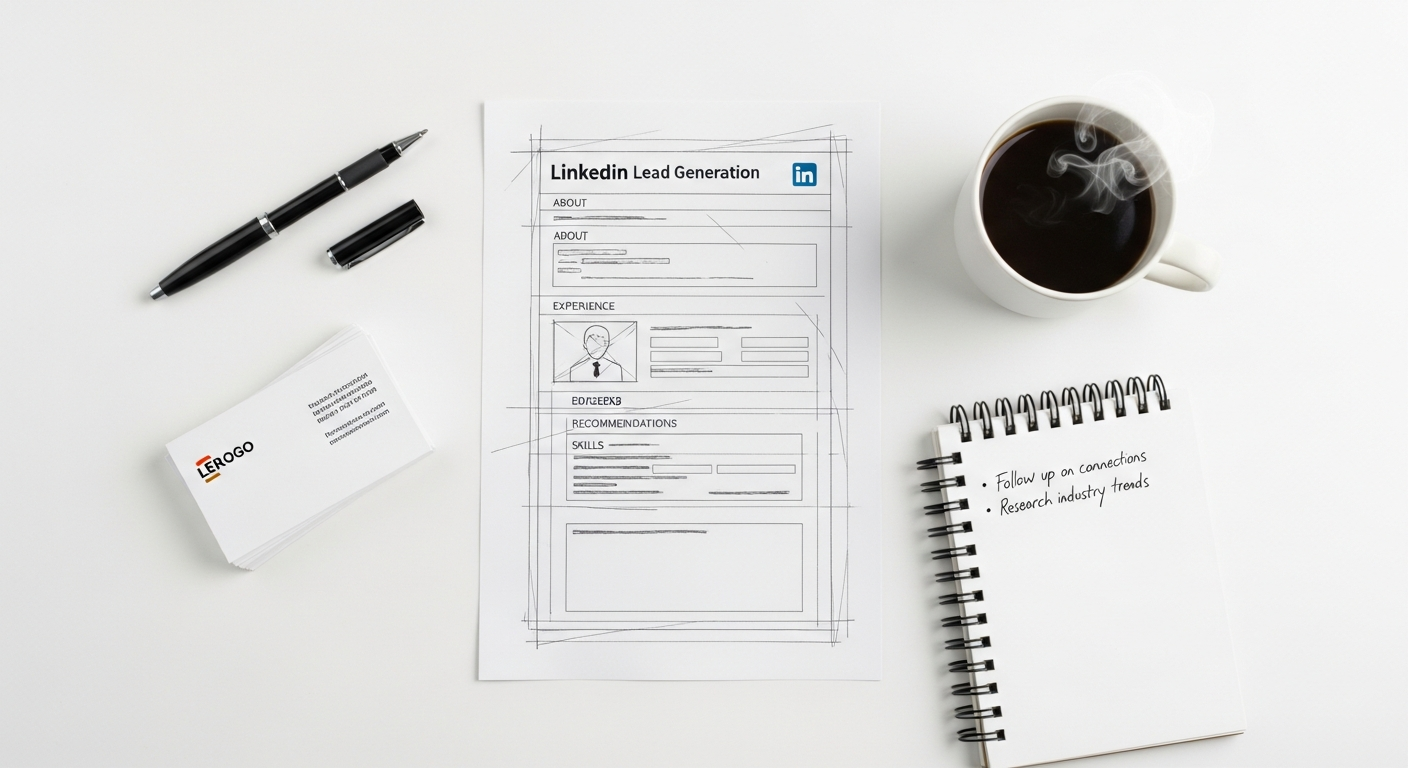
Before you even think about outreach, your LinkedIn profile and company page must be primed for success. Think of them as your digital storefronts; they need to be professional, informative, and designed to attract your ideal customer. A weak or incomplete profile undermines all subsequent lead generation efforts.
1.1 Personal Profile Optimization: Your Professional Brand Asset
Your personal profile is often the first touchpoint. It needs to convey authority, expertise, and a clear value proposition.
* Headline: This isn’t just your job title. It’s your elevator pitch. Use keywords your ideal clients might search for. Instead of “Marketing Manager,” consider “Helping B2B SaaS Companies Scale Revenue Through Data-Driven Content Strategies | Lead Generation Expert.”
* About Section: This is your story. Focus on how you help your clients solve their problems. Structure it with clear paragraphs, bullet points, and a call to action (CTA).
* Problem: Identify common pain points your target audience faces.
* Solution: Explain how your expertise/product/service addresses these.
* Results: Quantify the benefits clients achieve.
* CTA: “Connect with me to discuss how [Your Solution] can transform your [Their Problem].”
* Experience: Go beyond listing duties. Highlight achievements, quantify results, and demonstrate leadership. Each role should reinforce your expertise and value.
* Skills & Endorsements: Populate this section with relevant, industry-specific skills. Actively seek endorsements from colleagues and clients. Aim for at least 30 relevant skills.
* Recommendations: Social proof is powerful. Request recommendations from satisfied clients and collaborators that speak to your impact and professionalism.
* Featured Section: Showcase your best work – articles, case studies, whitepapers, videos, or presentations that demonstrate your thought leadership and expertise.
1.2 Company Page Optimization: Your Business’s Digital Hub
Your company page reinforces your brand credibility and serves as a central hub for your content.
* Brand Consistency: Use high-quality logos, banners, and imagery that align with your overall brand identity.
* Content Strategy: Regularly post valuable, relevant content that educates, informs, and engages your target audience. This includes industry insights, company news, employee spotlights, and thought leadership pieces.
* Showcase Pages: If you have distinct products, services, or initiatives, create Showcase Pages to highlight them. This allows for more targeted content delivery to specific segments.
1.3 Enhancing Searchability: LinkedIn SEO
Just like Google, LinkedIn has its own search algorithm. Optimizing for it ensures prospects can find you.
* Keywords: Integrate relevant keywords naturally throughout your profile (headline, about, experience, skills). Think about what terms your ideal client would use to find someone with your expertise.
* Content Consistency: Regular activity and engagement signal to LinkedIn that you’re an active, valuable user, which can boost your visibility.
* URL Customization: Customize your public profile URL (e.g., `linkedin.com/in/yourname`) for a more professional and memorable link.
2. Identifying and Targeting Your Ideal Prospects
With your foundation set, the next crucial step is to precisely identify who you want to reach. Scattershot outreach is inefficient and ineffective. Precision targeting is where LinkedIn truly shines.
2.1 Defining Your Ideal Customer Profile (ICP) and Buyer Personas
Before you even touch LinkedIn’s search bar, clearly define:
* ICP: The type of company that would benefit most from your offering. Consider industry, company size, revenue, geographic location, and specific challenges they face.
* Buyer Persona: The specific individuals within those companies you need to reach. What are their job titles, seniority levels, responsibilities, pain points, and career aspirations?
Having these clearly defined will guide all your search and outreach efforts.
2.2 Leveraging LinkedIn’s Native Search and Filters
LinkedIn’s basic search is a powerful, free tool for initial prospecting.
* Keyword Search: Use precise keywords for job titles, industries, or skills in the main search bar.
* Filters: Apply filters for Connections (1st, 2nd, 3rd+), Locations, Companies, Industries, Schools, and more.
* Boolean Search: Combine keywords using operators like `AND`, `OR`, `NOT`, and `( )` for more refined results.
* Example: `”VP Marketing” AND “SaaS” NOT “Agency”`
* Example: `(CEO OR “Chief Executive Officer”) AND “Financial Services”`
2.3 Mastering Sales Navigator: The B2B Prospecting Powerhouse
For serious B2B lead generation, LinkedIn Sales Navigator is indispensable. It offers advanced search capabilities that go far beyond the free version.
* Lead Filters: Search by job title, seniority level, function, industry, company size, years in current company, years of experience, interests, and even “people who changed jobs in the last 90 days.” This last filter is gold for identifying new decision-makers.
* Account Filters: Target companies based on industry, size, growth rate, headcount growth, revenue, funding rounds, and more.
* Saved Searches and Alerts: Save your refined searches and set up alerts to be notified when new leads or accounts match your criteria. This ensures a continuous stream of fresh prospects.
* “Similar Leads” and “Similar Accounts”: Once you find an ideal lead or account, Sales Navigator suggests similar profiles, significantly expanding your reach with relevant prospects.
* CRM Integration: Integrate Sales Navigator with your CRM (e.g., Salesforce, HubSpot) to seamlessly track and manage leads, ensuring data consistency and streamlined workflows.
Actionable Framework: The Sales Navigator Lead Discovery Sequence
1. Define Core Filters: Start with your ICP (industry, company size, geography) and Buyer Persona (job title, function, seniority).
2. Add Behavioral Filters: Layer in “changed jobs in last 90 days,” “posted on LinkedIn in last 30 days,” or “mentioned in the news” to identify active or newly positioned decision-makers.
3. Exclude Irrelevant Profiles: Use the `NOT` operator or specific exclusion filters (e.g., exclude “student” or “intern”) to refine your list.
4. Save Search & Create Lead Lists: Save your search for ongoing updates and organize prospects into targeted lead lists within Sales Navigator.
5. Review and Qualify: Manually review each lead on your list, checking their profile for fit and potential points of connection.
2.4 Leveraging Groups and Events for Organic Discovery
LinkedIn Groups and Events provide fertile ground for finding prospects and engaging with them in a natural, value-driven way.
* Industry Groups: Join relevant groups where your ICP congregates. Engage in discussions, answer questions, and provide valuable insights. This establishes you as an expert and naturally attracts prospects.
* Events: Attend virtual industry events or webinars. Engage with attendees and speakers in the event chat. These are often highly targeted audiences actively seeking solutions.
* Group Member Search: Within groups, you can often search members by job title or company, allowing you to identify relevant prospects who are already interested in the group’s topic.
3. Crafting Compelling Content That Attracts Leads
Content is the magnet that draws prospects to you. It establishes your authority, builds trust, and demonstrates your value before you even initiate a direct conversation.
3.1 Content Pillars for B2B Lead Generation
Focus your content on these core areas:
* Thought Leadership: Share unique insights, opinions, and predictions about your industry. Position yourself as an expert who understands the future.
* Problem/Solution: Directly address common pain points of your target audience and offer practical solutions or insights, subtly showcasing how your offering helps.
* Case Studies & Success Stories: Showcase how your product/service has helped real clients achieve tangible results. Quantify impact whenever possible.
* Industry News & Analysis: Curate and comment on relevant industry news, providing your perspective and analysis.
* Educational Content: Offer tips, how-to guides, and frameworks that empower your audience.
3.2 Diverse Content Formats for Maximum Impact
Vary your content types to keep your audience engaged.
* Text Posts: Short, punchy updates, questions, or insights. Always include a hook, provide value, and end with a call to action or question to spark engagement.
* LinkedIn Articles: For long-form, in-depth content. Use these for comprehensive guides, detailed analyses, or thought leadership pieces. Optimized for SEO within LinkedIn.
* Videos: Highly engaging. Share short tips, explain complex concepts, or offer behind-the-scenes glimpses. Native video upload performs best.
* Carousels (Document Posts): Visually appealing way to share step-by-step guides, tips, or data points. Each slide builds on the previous, encouraging scrolling.
* Polls: Great for sparking engagement and gathering insights from your audience. Ask questions related to industry challenges or preferences.
* Live Streams: Host Q&A sessions, interviews, or product demos in real-time. Builds strong connections and allows for direct interaction.
3.3 Engagement Strategies for Content Amplification
* Respond to Comments: Engage authentically with everyone who comments on your posts. This builds community and signals to LinkedIn’s algorithm that your content is valuable.
* Tag Relevant Individuals/Companies: If appropriate, tag people or companies mentioned in your content to increase visibility.
* Use Hashtags Strategically: Research relevant industry hashtags and use 3-5 per post.
* Employee Advocacy: Encourage your team to share and engage with company content. This significantly amplifies reach and credibility.
Framework: The LinkedIn Content Cadence
1. Daily Micro-Content: 1-2 short text posts, questions, or comments on industry news.
2. Weekly Medium-Content: 1-2 longer posts, carousels, or short native videos (1-3 minutes).
3. Bi-Weekly/Monthly Macro-Content: 1 LinkedIn Article, 1-2 longer videos, or a live session.
4. Consistent Engagement: Dedicate 15-30 minutes daily to comment on others’ posts, respond to DMs, and engage in groups.
4. Proactive Outreach and Relationship Building

Once you’ve optimized your profile and established a content rhythm, it’s time for direct engagement. This phase is about initiating conversations, building rapport, and moving prospects toward a sales dialogue.
4.1 Strategic Connection Requests
Never send a generic connection request. Personalization is non-negotiable.
* Research First: Before sending, review their profile, recent activity, and shared connections/groups. Find a point of commonality or a reason to connect.
* Personalized Message Template:
Subject:* Briefly state why you’re connecting.
Opening:* Reference something specific you found on their profile or a piece of content they shared. “I noticed your recent post on [Topic] – fascinating insights!” or “I saw you’re also connected with [Mutual Connection].”
Value Proposition (subtle):* Briefly state who you are and how you help, without being overtly salesy. “As a [Your Role] at [Your Company], I focus on helping [Target Audience] achieve [Benefit].”
Call to Action (soft):* “I’d love to connect to learn more about your work at [Their Company] and share insights on [Relevant Topic].”
* Keep it concise: Max 300 characters for the personal message.
Example Template:
“Hi [Name], I enjoyed your recent article on [Industry Trend] – particularly your point about [Specific Detail]. As someone focused on [Your Area of Expertise], I’d be keen to connect and share insights. Cheers, [Your Name]”
4.2 The Value-Driven Follow-Up Sequence
Not every connection will immediately respond or become a lead. A strategic, value-driven follow-up sequence is crucial for nurturing relationships.
* Initial Thank You (Day 1-2): Once they connect, send a brief thank you message. Avoid pitching. Instead, offer value. “Thanks for connecting, [Name]! I appreciate it. I often share insights on [Relevant Topic] on my profile, which you might find useful.”
Engage with Their Content (Ongoing): Like, comment genuinely, and share their posts. Show you’re interested in their* work.
* Share a Relevant Resource (Day 7-10): After a week or so, send a relevant article, whitepaper, or video (yours or someone else’s) that addresses a potential pain point or interest you identified. “Hi [Name], I came across this article on [Topic] and immediately thought of your work at [Their Company]. Thought you might find it insightful.”
* Propose a Conversation (Day 14-21): If they’ve engaged with your content or responded positively, gently propose a brief chat. “Given your focus on [Their Area], I’d be curious to hear your thoughts on [Relevant Challenge]. Would you be open to a quick 15-minute virtual coffee sometime next week?”
Key Principle: Focus on providing value and building trust, not immediately selling. Each touchpoint should educate, inform, or entertain.
4.3 InMail Best Practices (for Sales Navigator Users)
InMail allows you to message LinkedIn members you’re not connected to. Use it judiciously.
* High-Quality Prospects: Reserve InMail for highly qualified prospects identified through Sales Navigator.
* Personalization is Paramount: Treat InMail like a cold email – highly personalized, value-focused, and concise.
* Clear Subject Line: Make it compelling and relevant. “Question about [Their Company’s Challenge]” or “Idea for [Their Goal].”
Focus on Them: Immediately articulate why you’re reaching out and how you can potentially help them*.
* Short & Sweet: Get to the point quickly. Respect their time.
* Soft CTA: Aim for a conversation, not a hard sell. “Would you be open to a brief chat to explore this further?”
4.4 Nurturing Relationships with Existing Connections
Lead generation isn’t a one-time event; it’s ongoing. Nurture your existing connections.
* Regular Engagement: Consistently post valuable content that keeps you top-of-mind.
* Personalized Check-ins: Periodically reach out to connections with relevant news, resources, or just to see how they’re doing.
* Leverage Milestones: Congratulate connections on work anniversaries, new roles, or company news.
4.5 Automation Tools: Use with Caution
While tempting, heavy reliance on automation for connection requests and initial messages can backfire, leading to generic outreach and potential account restrictions.
Ethical Use: If you use automation, ensure it’s for safe actions like profile viewing, or for highly personalized follow-up messages after* a connection is made (and only if the tool allows for deep personalization).
* Avoid Mass Messaging: LinkedIn’s algorithm is smart. Generic, high-volume messaging can flag your account.
* Focus on Augmentation, Not Replacement: Tools should augment your human touch, not replace it.
5. Leveraging LinkedIn Ads for Scalable Lead Generation
While organic strategies build trust and relationships over time, LinkedIn Ads offer a powerful, scalable route to reach a broader, highly targeted audience and accelerate lead generation.
5.1 Understanding LinkedIn Ad Formats
Choose the right format for your objective:
* Sponsored Content (Single Image, Video, Carousel, Document Ads): Appear directly in the LinkedIn feed. Excellent for driving brand awareness, website traffic, and lead form submissions. Use engaging visuals and compelling copy.
* Message Ads (formerly Sponsored InMail): Deliver your message directly to a prospect’s LinkedIn inbox. Best for highly targeted offers, event invitations, or content promotion to a specific audience. Requires a strong, personalized message.
* Text Ads: Simple, pay-per-click ads appearing on the right rail or top of the page. Good for driving website traffic or promoting specific content with a clear call-to-action.
* Dynamic Ads: Personalized ads that automatically pull data from a member’s profile (e.g., job title, company name) to create highly relevant ad experiences. Excellent for follower growth, job promotion, or content promotion.
* Lead Gen Forms: Integrate directly with Sponsored Content and Message Ads. Pre-fill forms with LinkedIn profile data, drastically reducing friction and boosting conversion rates for lead capture.
5.2 Precision Targeting with LinkedIn Ads
LinkedIn’s targeting capabilities are its biggest strength for B2B.
* Professional Attributes: Target by job title, function, seniority, industry, company name, company size, skills, groups, education, and years of experience.
* Matched Audiences:
* Website Retargeting: Target users who have visited your website.
* Contact Lists: Upload a list of email addresses or company names to target existing customers, prospects, or exclude specific groups.
* Account Targeting: Upload a list of target company names (from your ICP) to show ads specifically to employees of those companies. This is incredibly powerful for account-based marketing (ABM).
* Lookalike Audiences: Create audiences that share similar attributes with your existing high-value customers or website visitors, expanding your reach to new, relevant prospects.
5.3 Campaign Objectives and Budgeting
Align your ad campaigns with specific business goals.
* Awareness: Drive brand visibility (e.g., Brand Awareness objective).
* Consideration: Drive website visits, engagement, or video views (e.g., Website Visits, Engagement, Video Views objectives).
* Conversion: Generate leads, website conversions, or job applicants (e.g., Lead Generation, Website Conversions, Job Applicants objectives).
* Budgeting: Start with a modest budget ($1000-$2000/month) to test and optimize. LinkedIn uses a bidding system, so be prepared to adjust bids based on performance. Minimum daily budget is typically $10.
5.4 A/B Testing and Optimization
Continuous optimization is key to ad success.
* Test Ad Creatives: Experiment with different headlines, body copy, images, and video variations.
* Test Audiences: Compare the performance of different targeting segments.
* Test CTAs: Try different calls-to-action (e.g., “Download Now,” “Learn More,” “Get a Demo”).
* Monitor Metrics: Track key performance indicators (KPIs) like click-through rate (CTR), conversion rate, cost per lead (CPL), and return on ad spend (ROAS).
* Iterate: Use data to refine your campaigns, pausing underperforming ads and scaling up successful ones.
6. Tracking, Analyzing, and Optimizing Your LinkedIn Lead Gen Efforts
Lead generation is not a “set it and forget it” activity. Consistent tracking, analysis, and optimization are critical to improving your ROI and scaling your success.
6.1 Key Performance Indicators (KPIs) for LinkedIn Lead Generation
Track these metrics across your organic and paid efforts:
* Profile Views: Indicates interest in your personal brand.
* Company Page Followers: Shows brand resonance.
* Content Reach & Impressions: How many people saw your content.
* Engagement Rate: Likes, comments, shares per post – signals content relevance.
* Connection Request Acceptance Rate: Indicates the effectiveness of your personalization.
* Response Rate: How many prospects respond to your outreach messages.
* Meeting Booked Rate: The percentage of conversations that convert into a discovery call.
* Marketing Qualified Leads (MQLs): Leads generated through LinkedIn that meet your initial qualification criteria.
* Sales Qualified Leads (SQLs): MQLs that sales has accepted as ready for deeper engagement.
* Cost Per Lead (CPL): For paid campaigns, how much you spend to acquire a single lead.
* Conversion Rate: The percentage of leads that convert into customers.
* Attribution: Understand which specific LinkedIn activities (organic post, InMail, ad) are leading to conversions.
6.2 Leveraging Sales Navigator and LinkedIn Campaign Manager Reporting
* Sales Navigator: Track lead and account engagement, view activity history, and monitor alerts. Use the “CRM Sync” feature to push data to your sales system.
* LinkedIn Campaign Manager: This is your dashboard for paid ads. It provides detailed metrics on ad performance, audience demographics, CPL, and conversion data from your Lead Gen Forms or website conversions.
6.3 CRM Integration for End-to-End Tracking
Integrate LinkedIn lead generation efforts with your CRM (e.g., Salesforce, HubSpot, Zoho CRM).
* Lead Source Tracking: Ensure all leads originating from LinkedIn are correctly tagged in your CRM.
* Activity Logging: Log all LinkedIn interactions (messages, calls, notes) within the CRM for a complete prospect history.
* Pipeline Management: Track LinkedIn-generated leads through your entire sales funnel to understand their conversion velocity and value. This allows you to measure the true ROI of your LinkedIn efforts.
6.4 The Continuous Improvement Cycle
Lead generation is iterative. Adopt a “test, learn, refine” mentality.
1. Analyze Data: Regularly review your KPIs to identify what’s working and what’s not.
2. Identify Bottlenecks: Where are leads dropping off? Is it connection request acceptance, message response, or meeting booking?
3. Hypothesize & Test: Formulate hypotheses for improvement (e.g., “Changing my connection request message will increase acceptance by X%”). Implement A/B tests.
4. Implement & Scale: Roll out successful changes and continuously monitor for further optimization opportunities.
5. Stay Updated: LinkedIn’s features and algorithms evolve. Stay informed about new capabilities and best practices.
By diligently tracking your efforts and embracing a data-driven approach, you can continuously refine your LinkedIn lead generation strategy, ensuring it remains a powerful and efficient engine for your B2B growth.
Conclusion: Your Path to Consistent B2B Leads on LinkedIn
LinkedIn is an unparalleled platform for B2B lead generation, offering direct access to decision-makers and a robust environment for building professional relationships. However, success isn’t accidental. It demands a strategic, multi-faceted approach, combining meticulous profile optimization, precise audience targeting, value-driven content creation, and personalized outreach. From mastering Sales Navigator to crafting compelling ad campaigns and diligently tracking your KPIs, every step outlined in this guide is designed to transform your LinkedIn activity from a passive networking tool into an active, high-performing lead generation engine.
Remember, the core principle of LinkedIn lead generation is about providing value and building trust. Resist the urge to aggressively sell, and instead, focus on educating, informing, and engaging your audience. By consistently implementing these frameworks, analyzing your performance, and adapting your strategies, you will not only generate a steady stream of qualified B2B leads but also establish yourself and your company as authoritative thought leaders in your industry. Start implementing these tactics today, and watch as your LinkedIn presence translates into tangible business growth by 2026 and beyond.
“`json
{
“@context”: “https://schema.org”,
“@graph”: [
{
“@type”: “Article”,
“headline”: “The Definitive Guide to LinkedIn Lead Generation for B2B Success”,
“description”: “A comprehensive, practical guide for professionals, entrepreneurs, and B2B marketers on how to leverage LinkedIn for effective lead generation, including tools, strategies, and frameworks.”,
“image”: “https://kacerr.com/images/linkedin-lead-gen-guide-banner.jpg”,
“author”: {
“@type”: “Organization”,
“name”: “Kacerr”,
“url”: “https://kacerr.com”
},
“publisher”: {
“@type”: “Organization”,
“name”: “Kacerr”,
“logo”: {
“@type”: “ImageObject”,
“url”: “https://kacerr.com/images/kacerr-logo.png”
}
},
“datePublished”: “2024-04-23T08:00:00+08:00”,
“dateModified”: “2024-04-23T08:00:00+08:00”,
“mainEntityOfPage”: {
“@type”: “WebPage”,
“@id”: “https://kacerr.com/blog/linkedin-lead-generation-guide”
},
“articleSection”: [
“Laying the Foundation: Optimizing Your LinkedIn Presence for Lead Generation”,
“Identifying and Targeting Your Ideal Prospects”,
“Crafting Compelling Content That Attracts Leads”,
“Proactive Outreach and Relationship Building”,
“Leveraging LinkedIn Ads for Scalable Lead Generation”,
“Tracking, Analyzing, and Optimizing Your LinkedIn Lead Gen Efforts”
],
“keywords”: “LinkedIn lead generation, B2B lead generation, LinkedIn marketing, Sales Navigator, LinkedIn ads, B2B marketing strategy, professional networking, lead generation guide, prospect research, content marketing B2B”
},
{
“@type”: “FAQPage”,
“mainEntity”: [
{
“@type”: “Question”,
“name”: “Is LinkedIn lead generation effective for all B2B industries?”,
“acceptedAnswer”: {
“@type”: “Answer”,