Best Accounting Software for Small Business 2026
TL;DR Summary
For 2026, the best accounting software for small businesses balances robust features, intuitive design, and scalable integrations. QuickBooks Online remains a powerhouse for its comprehensive ecosystem, Xero excels in user experience and multi-currency, FreshBooks is ideal for service-based businesses, and Zoho Books offers excellent value within a broader suite. Prioritize cloud-based solutions, strong reporting, and seamless integrations to future-proof your financial operations.
Understanding Your Business Needs: Beyond the Basics
Before you even begin comparing features or prices, the most critical step in selecting the best accounting software for your small business in 2026 is a thorough self-assessment. This isn’t just about identifying what you do; it’s about understanding how you do it and where you plan to go. A generic solution rarely fits all, and a misalignment here can lead to wasted time, frustration, and ultimately, inaccurate financial data.
What Kind of Business Are You?
Different business models have distinct accounting requirements. A freelance graphic designer’s needs will vary wildly from an e-commerce store or a brick-and-mortar retail shop. For service-based businesses (consultants, agencies, freelancers), invoicing, time tracking, and project management integrations are paramount. You might prioritize systems that excel in recurring billing, client portals, and detailed expense tracking against projects. E-commerce businesses, on the other hand, demand robust inventory management, seamless integration with platforms like Shopify or WooCommerce, sales tax automation across multiple jurisdictions, and high-volume transaction processing. Retail and product-based businesses need strong inventory control, point-of-sale (POS) integration, and perhaps multi-location capabilities. Manufacturing or wholesale operations might require more complex features like bill of materials (BOM) tracking, job costing, and advanced reporting on cost of goods sold (COGS).
Transaction Volume and Employee Count
Consider your average monthly transaction volume. A business processing hundreds or thousands of transactions daily will require a system built for speed and automation, minimizing manual data entry errors. Conversely, a micro-business with 20-30 transactions a month might find an overly complex system cumbersome. Similarly, the number of employees impacts payroll needs. Do you manage payroll in-house, or do you use a third-party service? Your accounting software needs to integrate smoothly with your chosen payroll solution, or ideally, offer a native, scalable payroll feature. Systems like QuickBooks Online offer integrated payroll for up to 100+ employees, while others like Wave are better suited for solo entrepreneurs or those outsourcing payroll entirely.
Cash vs. Accrual Accounting
Understand your preferred accounting method. Cash basis accounting recognizes income when received and expenses when paid, suitable for very small businesses or those with simple finances. Accrual basis accounting, mandated for many growing businesses, recognizes income when earned and expenses when incurred, regardless of cash flow. Most modern software supports both, but some are more naturally aligned with one. Ensure your chosen software can easily generate reports in your required method, especially if you anticipate transitioning from cash to accrual as your business grows past the $25 million revenue mark (though this threshold can vary).
Budget Considerations and Future Growth
Top Contenders for 2026: A Deep Dive
The accounting software market for small businesses is vibrant and competitive, with several established players continually innovating and new solutions emerging. For 2026, a few platforms consistently stand out for their blend of features, usability, and scalability. Understanding their core strengths and potential limitations is key to making an informed choice.
QuickBooks Online (QBO)
QuickBooks Online, by Intuit, remains the undisputed market leader and a strong contender for the best accounting software for small business 2026. Its primary strength lies in its comprehensive ecosystem and robust feature set, catering to a wide range of SMBs. QBO offers multiple tiers (Simple Start, Essentials, Plus, Advanced) ranging from approximately $30/month to $200/month, billed annually. Simple Start is ideal for basic income/expense tracking and invoicing, while Plus adds inventory management, project costing, and up to 5 users – a sweet spot for many growing businesses. Advanced supports up to 25 users and offers enhanced reporting and dedicated account management. QBO excels with its vast integration marketplace, connecting with thousands of apps for CRM, e-commerce, payroll, and more. Its reporting capabilities are extensive, providing detailed insights into profitability, cash flow, and budgeting. While powerful, QBO can sometimes feel overwhelming for micro-businesses due to its sheer depth of features, and its pricing can be higher than competitors. Support, while available, can sometimes involve navigating multiple channels to find specific solutions.
Xero
Hailing from New Zealand, Xero has carved out a significant niche by prioritizing user experience and clean design. It’s often lauded for its intuitive interface, making it a favorite among business owners who appreciate simplicity without sacrificing functionality. Xero offers three plans: Early ($15/month), Growing ($42/month), and Established ($78/month). The Growing plan is popular, allowing unlimited invoicing, bank reconciliation, and up to 5 payroll employees (via Gusto integration in the US). Xero shines in multi-currency support, making it an excellent choice for businesses with international clients or operations. Its bank feed automation is highly efficient, often automatically categorizing transactions. While its core accounting features are strong, Xero’s native payroll features are less robust than QBO’s in some regions, often relying on third-party integrations like Gusto. Its marketplace of add-ons is growing but still smaller than QuickBooks’. For businesses prioritizing ease of use, beautiful reporting, and international capabilities, Xero is a formidable option.
FreshBooks
FreshBooks has built its reputation as an accounting solution specifically tailored for service-based businesses, freelancers, and consultants. Its strength lies in its exceptional invoicing, time tracking, and project management features. Plans range from Lite ($19/month) to Premium ($55/month), with custom pricing for larger teams. The Lite plan supports up to 5 clients, while Plus supports 50, and Premium unlimited. FreshBooks makes it incredibly easy to create professional invoices, send payment reminders, and accept online payments. Its time tracking is integrated directly into projects, allowing for accurate client billing. While FreshBooks has expanded its capabilities to include basic double-entry accounting, expense tracking, and some reporting, it’s generally less robust than QBO or Xero for inventory management or complex payroll. For businesses whose primary concern is efficient client billing and project profitability, FreshBooks offers an unparalleled experience.
Zoho Books
Part of the extensive Zoho ecosystem, Zoho Books offers a compelling value proposition, especially for businesses already utilizing other Zoho applications (CRM, Projects, Inventory). Its pricing is highly competitive, starting with a free plan for businesses under $50,000 annual revenue, then moving to Standard ($15/month), Professional ($40/month), and Premium ($60/month). Zoho Books provides a full suite of accounting features, including invoicing, expense tracking, bank reconciliation, project time tracking, inventory management, and robust reporting. Its strength lies in its deep integration with other Zoho products, creating a unified business management platform. The free plan is surprisingly capable for very small businesses, offering basic invoicing and expense tracking. While its third-party integration marketplace is growing, it’s not as extensive as QBO’s. For businesses seeking an affordable, feature-rich solution that can be part of a broader business suite, Zoho Books presents an excellent choice.
Wave Accounting
For solopreneurs, freelancers, and very small businesses on a tight budget, Wave Accounting (now Wave Financial) remains a popular choice because its core accounting, invoicing, and receipt scanning features are free. Wave offers paid services for payroll ($20-$40/month plus per-employee fees) and payment processing (2.9% + $0.60 per transaction for credit cards, 1% for bank payments). It’s incredibly user-friendly for basic income and expense tracking, bank reconciliation, and generating essential financial reports. However, Wave lacks advanced features like inventory management, project costing, or multi-user access (beyond accountant collaboration). Its customer support is primarily email-based, with limited live options for free users. While a fantastic entry point for micro-businesses, Wave’s limitations become apparent as a business grows in complexity or requires more sophisticated features and dedicated support. It’s a strong candidate for freelancers, but less so for businesses with employees or inventory.
Key Features to Prioritize for SMB Growth
Selecting accounting software for your small business in 2026 isn’t just about what it can do today, but what it enables you to do tomorrow. Certain features are non-negotiable for efficient operations and sustainable growth. Prioritizing these will ensure your financial backbone is strong enough to support your ambitions.
Automated Invoicing and Payment Processing
Time is money, especially for small businesses. Look for software that allows you to create professional invoices quickly, schedule recurring invoices, and send automated reminders for overdue payments. Crucially, the software should integrate seamlessly with various payment gateways (e.g., Stripe, PayPal, Square) to allow clients to pay directly online, reducing payment friction and accelerating cash flow. Features like automatically matching payments to invoices and bank reconciliation are invaluable. For example, QuickBooks Online and Xero both offer robust invoicing with integrated payment options, often resulting in clients paying 2-3 times faster than traditional methods.
Effortless Expense Tracking and Categorization
Accurate expense tracking is vital for tax purposes and understanding profitability. The best software offers multiple ways to track expenses: connecting directly to bank and credit card feeds for automatic import, mobile apps for snapping receipt photos (e.g., FreshBooks, Zoho Books), and easy categorization rules. Automation here can save small business owners hours each month. For instance, setting up rules to automatically categorize “Starbucks” as “Client Entertainment” or “Office Supplies” streamlines the process, reducing manual data entry by up to 80% for regular transactions.
Robust Bank Reconciliation
This is the bedrock of accurate financial records. Your chosen software must easily connect to your business bank accounts and credit cards, importing transactions automatically. It should then offer intuitive tools to match these transactions to your recorded income and expenses, identifying discrepancies quickly. A good system can automate a significant portion of reconciliation, turning a multi-hour monthly task into a 30-minute review for many small businesses. This critical function ensures your books align with your bank statements, preventing costly errors.
Comprehensive Financial Reporting
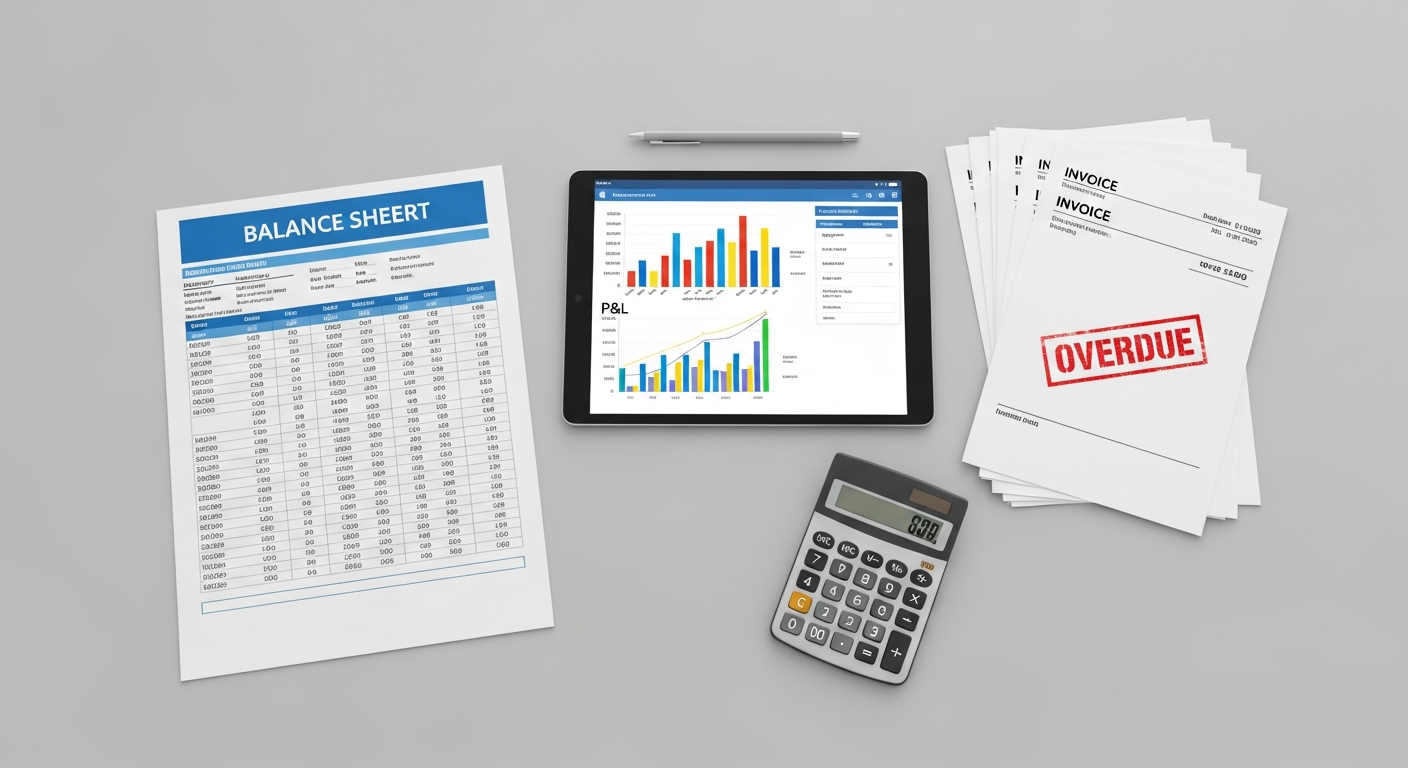
Beyond basic income and expense reports, you need software that provides clear, customizable financial statements. Essential reports include the Profit & Loss (Income Statement), Balance Sheet, and Cash Flow Statement. For growth, look for additional reports like Accounts Receivable Aging (to manage outstanding invoices), Accounts Payable Aging (to manage bills), Sales by Customer, and Expense by Vendor. The ability to customize these reports, filter data, and export them easily (e.g., to Excel or PDF) for your accountant or stakeholders is a significant advantage. This provides the insights needed for strategic decision-making, such as identifying your most profitable services or areas where costs are spiraling.
Tax Preparation Support
Inventory Management (If Applicable)
If your business sells physical products, robust inventory management is crucial. This includes tracking stock levels, managing multiple warehouses, handling purchase orders, calculating COGS, and integrating with your e-commerce platform. Without it, you risk stockouts, overstocking, and inaccurate profitability reports. QuickBooks Online Plus and Zoho Books both offer solid inventory features, while FreshBooks is less suited for product-based businesses.
Time Tracking and Project Costing (For Service Businesses)
For service providers, accurately tracking time spent on client projects and then translating that into billable hours or project profitability reports is non-negotiable. Software with integrated time tracking allows you to monitor team efficiency, ensure projects stay on budget, and accurately invoice clients. FreshBooks excels here, but QBO and Xero also offer robust solutions, often through integrations.
Multi-User Access and Mobile App Functionality
As your business grows, you’ll likely need to grant access to employees, bookkeepers, or accountants. Ensure the software supports multiple users with customizable permissions. A robust mobile app is also essential for managing finances on the go – snapping receipts, sending invoices, or checking bank balances from anywhere can significantly boost productivity.
Integration & Scalability: Future-Proofing Your Finances
In today’s interconnected business world, no single software solution operates in a vacuum. The true power of your accounting system for 2026 lies not just in its standalone capabilities, but in its ability to seamlessly integrate with other critical tools in your tech stack and to scale effortlessly as your business evolves. This foresight is paramount to future-proofing your financial operations.
The Power of API Integrations
Application Programming Interface (API) integrations are the digital bridges that allow different software platforms to communicate and share data. For small businesses, these integrations are game-changers. Consider your existing or future essential tools:
- CRM (Customer Relationship Management): Integrating your accounting software with your CRM (e.g., HubSpot, Salesforce, Zoho CRM) can automatically sync customer data, track sales pipelines, and generate invoices directly from sales opportunities, eliminating duplicate data entry and ensuring consistent customer records.
- Payment Gateways: Direct integration with payment processors like Stripe, PayPal, Square, or Authorize.net means invoices can be paid online directly, and transactions are automatically recorded and reconciled in your accounting software. This significantly speeds up cash flow and reduces manual reconciliation efforts.
- E-commerce Platforms: If you sell online (Shopify, WooCommerce, Etsy), your accounting software must integrate to pull in sales data, manage inventory, track COGS, and handle sales tax calculations. This automation can save dozens of hours a month for even moderately busy online stores. Without robust integration, managing e-commerce finances can become a manual data entry nightmare.
- Payroll Services: Whether you use a dedicated payroll provider (Gusto, ADP, Paychex) or an integrated solution (like QuickBooks Payroll), seamless data flow ensures accurate expense tracking for wages, taxes, and benefits.
- Project Management Tools: For service businesses, integrating with tools like Asana, Trello, or Monday.com can link project hours directly to invoicing, ensuring all billable time is captured.
Prioritize software with a wide and active marketplace of integrations (like QuickBooks Online or Xero) or those that are part of a larger business suite (like Zoho Books). A healthy ecosystem indicates robust API support and continuous development.
Scalability for Growth
A common mistake is choosing software that perfectly fits your business today but becomes a bottleneck tomorrow. Your accounting software needs to grow with you. Consider these aspects of scalability:
- User Management: Can you easily add more users (employees, bookkeepers, accountants) and assign specific roles and permissions as your team expands? Most cloud-based solutions offer tiered plans that accommodate more users.
- Transaction Volume: Will the system handle a significant increase in invoices, expenses, and bank transactions without slowing down or becoming unwieldy? Enterprise-level plans of leading software are designed for high volume.
- Feature Expansion: As your business matures, you might need more advanced features like multi-currency support, multi-location inventory, more sophisticated reporting, or advanced project costing. Can your current software offer these through upgrades or seamless add-ons, rather than requiring a complete system overhaul?
- International Operations: If you anticipate expanding globally, ensure the software supports multiple currencies, international tax laws, and regional banking formats. Xero, for example, is particularly strong in multi-currency capabilities.
Cloud-Based Benefits: The Foundation of Modern Scalability
For 2026, opting for cloud-based accounting software is almost non-negotiable. Cloud solutions offer inherent scalability advantages:
- Accessibility: Access your financial data from anywhere, on any device, fostering remote work and flexibility.
- Automatic Updates: Software updates, security patches, and new features are rolled out automatically by the provider, ensuring you always have the latest version without manual intervention.
- Security & Backups: Reputable cloud providers invest heavily in data security and regular backups, often exceeding what a small business could manage internally. This protects your sensitive financial information.
- Reduced IT Overhead: No need to manage servers, software installations, or maintenance, freeing up valuable time and resources.
When evaluating options, ask about the availability of APIs, the breadth of their integration marketplace, and the flexibility of their pricing tiers to accommodate your future growth without forcing a disruptive and costly migration.
Cost vs. Value: Making a Smart Investment
For small business owners, every dollar spent is scrutinized. While the initial sticker price of accounting software is important, focusing solely on the lowest cost can be a false economy. The true measure of an accounting solution lies in its overall value – the return on investment (ROI) it delivers through time savings, accuracy improvements, better decision-making, and even tax advantages. For 2026, understanding this balance is crucial.
Subscription Models and Pricing Tiers
Most accounting software operates on a monthly or annual subscription model, with annual payments often offering a discount (e.g., 10-20% off the monthly rate). Pricing typically varies based on:
- Number of Users: Basic plans often include 1-2 users, with higher tiers accommodating more. Expect to pay an additional fee for each extra user beyond the base.
- Features Included: Entry-level plans cover basics like invoicing and expense tracking. Mid-tier plans add inventory, project costing, and more advanced reporting. Top-tier plans offer advanced analytics, dedicated support, and higher user limits.
- Transaction Volume: Some platforms might have soft limits or performance considerations for extremely high transaction volumes, though this is less common for typical SMB plans.
For example, QuickBooks Online ranges from ~$30/month for Simple Start (1 user) to ~$200/month for Advanced (up to 25 users). Xero’s plans go from ~$15/month for Early (limited transactions) to ~$78/month for Established (unlimited transactions, multi-currency). FreshBooks focuses on client count, from ~$19/month for Lite (5 clients) to ~$55/month for Premium (unlimited clients). Zoho Books offers a free plan for very small businesses, with paid plans from ~$15/month to ~$60/month.
Hidden Costs and Add-ons
Be vigilant about potential hidden costs:
- Payment Processing Fees: While integrated, these are usually a percentage of each transaction (e.g., 2.9% + $0.30 per credit card transaction). These add up but are often unavoidable.
- Payroll Services: Many platforms offer integrated payroll, but it’s often an add-on service with its own monthly fee (e.g., $20-$40 base fee plus $5-$10 per employee per month).
- Premium Support: While basic support is included, dedicated phone support or faster response times might be exclusive to higher-tier plans.
- Third-Party Integrations: While the accounting software might integrate, the integrated app itself will have its own subscription cost.
- Training & Implementation: If your team needs extensive training or you require professional help for data migration, these are additional costs to budget for, potentially ranging from a few hundred to a few thousand dollars depending on complexity.
Calculating the ROI: Time Saved & Strategic Value
The true value of accounting software comes from its ROI. Consider these benefits:
- Time Savings: Automating tasks like invoicing, expense categorization, and bank reconciliation can save a small business owner 5-10 hours per week. At an average hourly rate of $50-$100 for an owner’s time, this translates to $200-$1000 in saved “labor” per month, easily justifying a $50-$100 monthly software subscription.
- Accuracy & Error Reduction: Automated systems reduce manual data entry errors, which can be costly in terms of lost revenue, incorrect tax filings, or skewed financial reports.
- Better Decision-Making: Real-time, accurate financial reports provide insights into profitability, cash flow, and areas for improvement. This empowers owners to make data-driven decisions on pricing, staffing, and investments, potentially leading to revenue growth of 5-15%.
- Tax Advantages: Organized and accurate records simplify tax preparation, potentially identifying overlooked deductions and minimizing audit risk. Many businesses report saving 10-20% on accountant fees due to well-maintained books.
- Improved Cash Flow: Faster invoicing, automated reminders, and online payment options significantly accelerate accounts receivable, directly improving cash flow.
Free vs. Paid Options: When to Upgrade
Free accounting software like Wave or the free tier of Zoho Books can be sufficient for very small businesses or freelancers with minimal transaction volume, no inventory, and simple reporting needs. However, as your business grows beyond an annual revenue of $50,000-$100,000, or if you hire employees, manage inventory, or require more sophisticated reporting and integrations, the limitations of free software quickly outweigh the cost savings. The point of upgrade is typically when manual processes become too time-consuming, errors become frequent, or you need deeper insights to drive growth. Investing in a paid solution at this stage is not an expense, but a strategic investment that pays dividends.
Implementation & Training: Getting Started Right
Choosing the best accounting software for your small business in 2026 is only half the battle. Successful implementation and adequate training are critical to maximizing your investment and avoiding common pitfalls. A smooth transition ensures data accuracy, user adoption, and immediate ROI.
Data Migration Strategies
The process of moving your existing financial data into the new system can be daunting. You generally have a few options:
- Manual Entry: For very small businesses with limited historical data (e.g., a few months of transactions), manual entry might be feasible. However, it’s time-consuming and prone to errors.
- CSV/Spreadsheet Import: Most software allows you to import key data like chart of accounts, customer lists, vendor lists, and opening balances via CSV files. This requires careful formatting of your data to match the software’s requirements. This is often the most common method for SMBs.
- Direct Migration Tools: Some software providers offer tools to migrate data directly from competitors (e.g., migrating from QuickBooks Desktop to QuickBooks Online). These can simplify the process but may not transfer all historical data perfectly.
- Professional Migration Services: For businesses with complex historical data, numerous transactions, or specific industry requirements, hiring an accountant or a specialized consultant for data migration is often the safest and most efficient route. They understand the nuances of chart of accounts mapping, historical transaction imports, and ensuring data integrity. Expect to pay anywhere from $500 to $2,500+ for professional migration, depending on complexity.
The Onboarding Process
Good accounting software providers offer a structured onboarding process. This often includes:
- Guided Setup Wizards: Step-by-step guides to configure your company profile, connect bank accounts, and set up initial preferences.
- Introductory Webinars/Tutorials: Live or recorded sessions that walk you through core functionalities.
- Knowledge Base & FAQs: Extensive online resources to troubleshoot common issues.
- Customer Support: Access to technical support via chat, email, or phone for specific questions.
Take advantage of these resources. Schedule dedicated time for setup, and don’t rush through it. Accuracy in the initial setup of your chart of accounts, tax settings, and opening balances is paramount, as errors here can cascade throughout your financial reporting.
Training for Staff and Stakeholders
Your accounting software is only as effective as the people using it. Comprehensive training for anyone who will interact with the system is essential:
- Business Owner: Understand the reports, dashboards, and key metrics.
- Bookkeeper/Accountant: Ensure they are proficient in all aspects of data entry, reconciliation, and reporting.
- Sales Team: If they create invoices or track expenses, they need to know how.
- Operations Team: If they manage inventory or project time, proper training is crucial.
Most software offers free online tutorials, webinars, and certification courses. Consider designating one internal “super user” who becomes the go-to person for basic questions. For more in-depth training, especially for complex features, a local accountant or certified consultant can provide tailored, hands-on sessions. Investing in a half-day training session for key staff (e.g., $400-$800) can prevent weeks of frustration and errors down the line.
Seeking Professional Help
Don’t hesitate to involve your accountant or bookkeeper early in the selection and implementation process. They are experts in financial best practices and can provide invaluable guidance on:
- Software Recommendation: They often have experience with multiple platforms and can recommend what best fits your industry and needs.
- Chart of Accounts Setup: Ensuring your accounts are correctly structured for accurate reporting and tax compliance.
- Data Migration Review: Verifying the accuracy of imported data.
- Ongoing Support: Many accountants offer ongoing bookkeeping services or act as consultants to help you optimize your software usage.
Collaborating with your financial professional from the outset transforms accounting software from a mere tool into a strategic asset for your business.
Emerging Trends & What to Watch For
<