Understanding Business Process Automation (BPA): The Foundation of Modern Efficiency
Business Process Automation (BPA) is the strategic application of technology to automate repeatable, multi-step business transactions. It goes beyond simple digitization, which merely converts analog information into digital format. BPA fundamentally re-engineers processes, making them self-executing or significantly reducing human intervention. The goal is to streamline operations, enhance accuracy, reduce costs, and free up human talent for more complex, creative, and strategic endeavors.
At its core, BPA aims to achieve several critical objectives:
- Increased Efficiency and Speed: Automated processes execute tasks much faster than humans, reducing cycle times for everything from order fulfillment to customer service responses.
- Cost Reduction: By minimizing manual labor and errors, businesses can significantly cut operational costs associated with salaries, re-work, and compliance penalties.
- Enhanced Accuracy and Compliance: Machines follow rules precisely, eliminating human error. This leads to higher data quality, fewer mistakes, and easier adherence to regulatory requirements.
- Improved Scalability: Automated processes can handle increased workloads without a proportionate increase in human resources, allowing businesses to scale operations seamlessly.
- Better Employee Morale: By taking over mundane, repetitive tasks, automation frees employees to focus on more engaging, value-added work, leading to higher job satisfaction and lower turnover.
- Superior Customer Experience: Faster service, fewer errors, and personalized interactions driven by automation contribute directly to higher customer satisfaction and loyalty.
Consider a typical invoice processing workflow: traditionally, it involves receiving an invoice, manually entering data into an accounting system, matching it against purchase orders, seeking approvals, and finally processing payment. Each step is prone to delays and errors. With BPA, an intelligent document processing system can automatically extract data, match it with purchase orders, flag discrepancies, route for approval via predefined rules, and initiate payment, all with minimal human oversight. This transformation highlights the profound impact of understanding how to automate your business processes effectively.
Identifying Your Automation Opportunities: Where to Begin
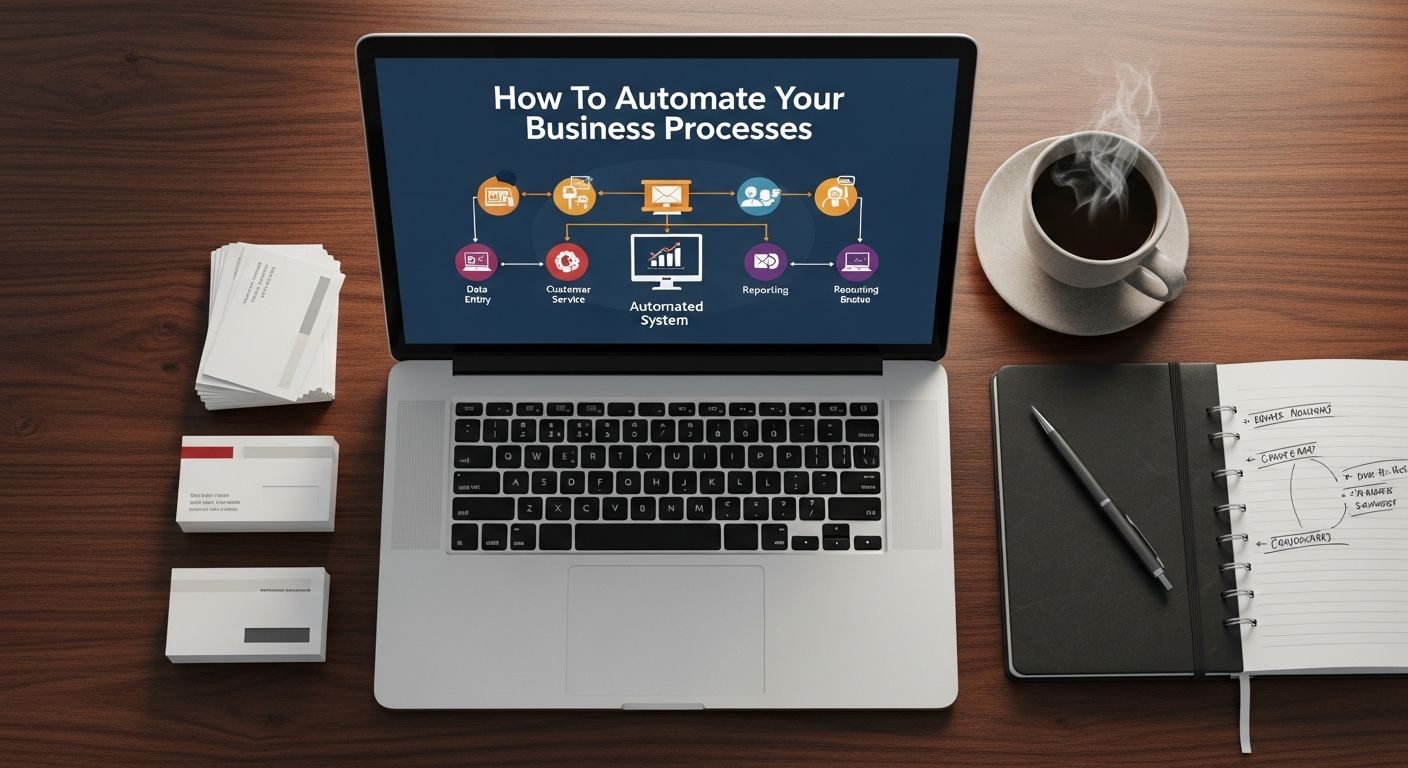
Embarking on an automation journey requires a clear understanding of what to automate. Not every process is a good candidate for automation, and attempting to automate a broken or inefficient manual process will only result in an automated mess. The key is to strategically identify processes that yield the highest return on investment (ROI) in terms of efficiency gains, cost savings, and strategic value.
Start by conducting a thorough audit of your existing business processes. Look for characteristics that make a process ripe for automation:
- Repetitive and High-Volume: Tasks performed frequently and in large quantities are prime candidates. Examples include data entry, report generation, routine customer inquiries, and payroll processing.
- Rule-Based and Predictable: Processes that follow clear, consistent rules with little need for human judgment are ideal. If a process requires complex decision-making, it might be better suited for augmentation rather than full automation, or for advanced AI solutions.
- Prone to Human Error: Tasks where mistakes are common and costly (e.g., financial calculations, data migration) can benefit immensely from automation’s precision.
- Time-Sensitive: Processes with tight deadlines or those that cause bottlenecks can be significantly improved by automation, ensuring timely completion.
- Impactful on Customer Experience: Automating processes that directly affect customer interactions (e.g., onboarding, support requests) can lead to immediate improvements in satisfaction.
- Involving Multiple Systems: Processes that require data transfer between disparate systems are often inefficient and error-prone. Automation can create seamless integrations.
Common areas within businesses that present significant automation opportunities include:
- Finance & Accounting: Invoice processing, expense reporting, reconciliation, financial reporting, accounts payable/receivable.
- Human Resources: Onboarding new employees, payroll administration, leave requests, benefits management, applicant tracking.
- Sales & Marketing: Lead nurturing, customer relationship management (CRM) updates, personalized email campaigns, social media scheduling, data analytics. This is particularly relevant when considering the differences between Inbound Marketing Vs Outbound Marketing, where automation can amplify the reach and effectiveness of both, especially in personalizing inbound content delivery and streamlining outbound campaign execution.
- Customer Service: Chatbots for FAQs, automated ticket routing, feedback collection, proactive customer notifications.
- IT Operations: System monitoring, incident management, software deployment, user access provisioning.
- Operations & Logistics: Inventory management, order fulfillment, supply chain tracking. For a Supply Chain Management Small Business, automating processes like demand forecasting, procurement, and warehouse operations can be game-changing, reducing operational costs and improving delivery times significantly.
Prioritize processes based on their potential impact versus the effort required to automate them. Start with a few high-impact, low-complexity processes to build momentum and demonstrate early successes before tackling more complex transformations.
Key Technologies Driving Business Process Automation
Robotic Process Automation (RPA)
RPA utilizes software robots (“bots”) to mimic human interactions with digital systems. These bots can open applications, log in, copy and paste data, move files, and even interact with web browsers. RPA is particularly effective for automating highly repetitive, rule-based tasks that span multiple applications, without requiring complex API integrations or system overhauls. It’s often seen as a “quick win” for automation due to its relatively fast deployment and immediate impact on efficiency.
Artificial Intelligence (AI) and Machine Learning (ML)
AI and ML inject intelligence into automation. While RPA handles the “what” (executing tasks), AI and ML provide the “how” and “why” by enabling systems to learn from data, recognize patterns, make predictions, and even perform cognitive tasks. This includes:
- Natural Language Processing (NLP): For understanding and generating human language, powering chatbots, sentiment analysis, and smart document processing.
- Computer Vision: For interpreting images and videos, useful in quality control, security, and data extraction from unstructured documents.
- Predictive Analytics: For forecasting future trends, optimizing inventory, or identifying potential customer churn.
AI/ML transforms simple automation into intelligent automation, allowing systems to handle exceptions, unstructured data, and adapt to changing conditions.
Business Process Management (BPM) Suites
BPM suites are comprehensive platforms designed to model, execute, monitor, and optimize end-to-end business processes. Unlike RPA, which focuses on task automation, BPM provides a holistic framework for managing entire workflows. It offers tools for process mapping, workflow orchestration, form design, rule engines, and analytics. BPM is crucial for ensuring that automated processes align with business goals and can be continuously improved. It acts as the orchestration layer, connecting various automated tasks and systems.
Integration Platform as a Service (iPaaS)
iPaaS solutions provide a cloud-based platform for integrating disparate applications, data sources, and APIs. As businesses adopt more SaaS applications, the need for seamless data flow between them becomes critical. iPaaS enables companies to connect their CRM, ERP, marketing automation, and other systems, ensuring data consistency and eliminating manual data transfer. It’s the backbone for creating interconnected automated workflows across an enterprise.
Low-code/No-code Platforms
These platforms empower business users, not just IT professionals, to build applications and automate workflows using visual interfaces and drag-and-drop functionality, rather than traditional coding. This democratizes automation, allowing departments to quickly develop solutions for their specific needs, accelerating digital transformation and reducing reliance on overburdened IT teams. They are particularly useful for creating custom forms, automating approvals, and building simple departmental applications.
Selecting the right technology or combination of technologies depends on the specific processes you want to automate, your existing IT infrastructure, budget, and long-term strategic goals. A thorough analysis of your needs will guide your technology choices.
Implementing BPA: A Strategic Approach to Transformation
Implementing business process automation is not merely a technological upgrade; it’s a strategic organizational transformation. A structured, phased approach is essential for success, minimizing disruption and maximizing ROI.
1. Define Clear Objectives and Scope
Before any technical work begins, clearly articulate what you want to achieve with automation. Are you aiming for cost reduction, faster service delivery, improved compliance, or enhanced employee satisfaction? Define specific, measurable, achievable, relevant, and time-bound (SMART) goals. Clearly scope the processes you intend to automate, starting with pilots before scaling.
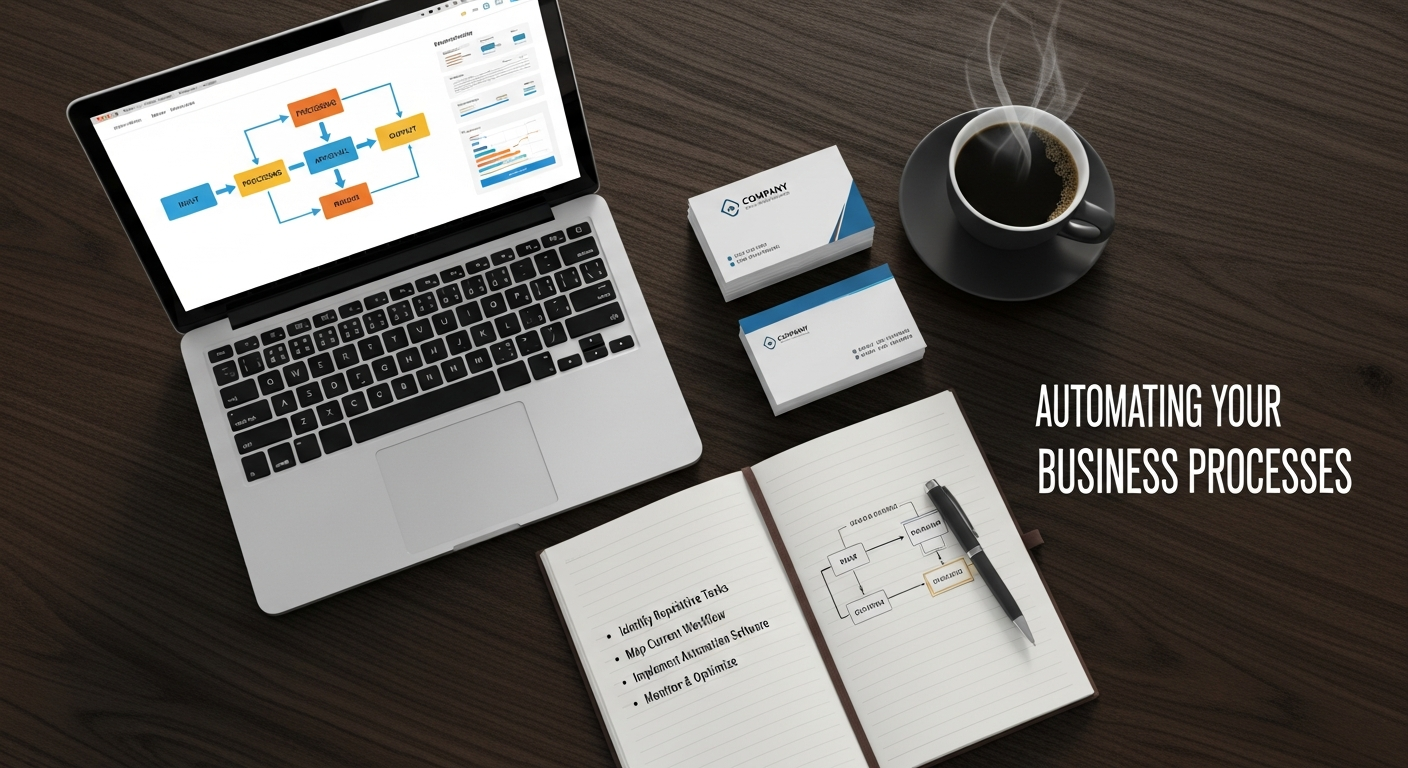
2. Map & Analyze Existing Processes (As-Is)
Meticulously document your current “as-is” processes. Understand every step, input, output, decision point, and resource involved. Identify bottlenecks, inefficiencies, redundant steps, and points of friction. This step is crucial because automating an inefficient process will only make it inefficient faster. Tools like process mapping software, flowcharts, and direct observation are invaluable here. For a Supply Chain Management Small Business, this might involve mapping out every step from raw material procurement to final product delivery, identifying where delays or errors frequently occur.
3. Design Optimized Automated Processes (To-Be)
Once you understand the “as-is,” design your “to-be” automated processes. This is where innovation comes in. Don’t just replicate the manual process digitally; rethink and redesign it for automation. Eliminate unnecessary steps, parallelize tasks where possible, and leverage technology to create entirely new, more efficient workflows. Consider how data will flow between systems and how exceptions will be handled.
4. Choose the Right Tools and Vendors
Based on your “to-be” process designs and objectives, select the appropriate automation technologies (RPA, AI, BPM, iPaaS, low-code, etc.) and vendor partners. Evaluate vendors based on their platform capabilities, scalability, security, support, integration options, and track record. It’s often beneficial to start with a proof-of-concept (PoC) or pilot project with a chosen vendor.
5. Develop, Test, and Pilot
With tools and designs in hand, develop and configure your automation solutions. Rigorous testing is paramount. Test for functionality, performance, security, and error handling. Conduct a pilot project in a controlled environment or with a small group of users to validate the automated process, gather feedback, and identify any unforeseen issues before a wider rollout. This iterative approach helps refine the solution.
6. Implement and Scale
After successful piloting, roll out the automated processes to the wider organization. This often requires careful planning to minimize disruption. Begin with simpler processes and gradually scale to more complex ones. Monitor performance closely to ensure the automation is delivering the expected benefits.
7. Change Management and Training
Automation impacts people, not just processes. A robust change management strategy is critical. Communicate the benefits of automation to employees, address their concerns, and provide comprehensive training on new tools and workflows. Emphasize that automation is designed to augment human capabilities, not replace them entirely, by freeing up time for more strategic work. Employee buy-in is a cornerstone of successful transformation.
8. Monitor, Evaluate, and Optimize
Automation is not a one-time project. Continuously monitor the performance of your automated processes against your initial KPIs. Gather data on efficiency gains, error rates, costs, and user satisfaction. Use this data to identify areas for further optimization and improvement. The business landscape is constantly evolving, and your automation solutions should evolve with it.
Beyond Internal Processes: Automating Customer & Partner Interactions
The power of automation extends far beyond internal operational efficiencies. It can profoundly transform how businesses interact with their customers and partners, leading to stronger relationships, improved satisfaction, and new revenue opportunities.
Automating Customer Interactions
Customer experience is a key differentiator in today’s competitive market. Automation can make every customer touchpoint smoother, faster, and more personalized:
- Personalized Marketing & Sales: Automation tools can segment customers based on behavior, preferences, and demographics, enabling highly targeted email campaigns, product recommendations, and content delivery. This is where the distinction between Inbound Marketing Vs Outbound Marketing becomes particularly clear. Automation significantly enhances inbound efforts by delivering the right content to the right person at the right time, nurturing leads through personalized journeys. For outbound, automation streamlines prospecting, email outreach, and follow-ups, making campaigns more efficient and scalable.
- Chatbots & Virtual Assistants: AI-powered chatbots can handle a high volume of routine customer inquiries 24/7, providing instant answers to FAQs, guiding customers through processes, and resolving common issues. This frees up human agents to focus on complex, high-value interactions.
- Automated Customer Support: Beyond chatbots, automation can route support tickets to the appropriate department, provide agents with relevant customer history and knowledge base articles, and send proactive notifications about order status or service updates.
- Onboarding & Self-Service: Automating the customer onboarding process (e.g., account setup, document verification) can significantly reduce friction. Providing automated self-service portals empowers customers to find information, manage their accounts, and resolve issues independently.
- Feedback Collection & Analysis: Automated surveys, sentiment analysis tools, and data analytics can collect and process customer feedback at scale, providing invaluable insights for product and service improvement.
Automating Partner Interactions
Efficient collaboration with partners, suppliers, and distributors is vital for business success. Automation can streamline these external relationships:
- Automated Onboarding for Partners/Vendors: Streamlining the process of bringing new partners or vendors into your ecosystem, including contract signing, compliance checks, and system access.
- Electronic Data Interchange (EDI): Automating the exchange of business documents (purchase orders, invoices, shipping notices) between trading partners eliminates manual data entry, reduces errors, and accelerates transactions, crucial for robust supply chains.
- Automated Invoicing & Payment Processing: Ensuring timely and accurate payment to suppliers and efficient collection from distributors through automated systems reduces administrative overhead and strengthens financial relationships.
- Joint Marketing & Sales Automation: For channel partners, automation can facilitate co-marketing efforts, lead sharing, and joint sales reporting, ensuring alignment and efficiency across partner networks.
By extending automation beyond internal walls, businesses can create a more cohesive, responsive, and satisfying ecosystem for all stakeholders, driving growth and fostering loyalty.
The Role of Outsourcing in Automation Strategies
When considering how to automate your business processes, companies often encounter a strategic decision point: manage automation internally or leverage external expertise through outsourcing. What Is Business Process Outsourcing (BPO) involves contracting a third-party service provider to perform specific business functions. In the context of automation, BPO and internal automation are not mutually exclusive; they can be highly complementary strategies.
Here’s how outsourcing fits into an automation strategy:
Access to Specialized Expertise
Developing and implementing advanced automation solutions (RPA, AI, complex BPM) requires specialized skills in areas like data science, process architecture, solution development, and change management. Many organizations, especially small to medium-sized businesses, may lack these internal capabilities. BPO providers often have dedicated teams of automation experts, allowing businesses to access cutting-edge skills without the cost and time associated with recruiting and training in-house talent.
Cost Efficiency and Scalability
Outsourcing can offer significant cost advantages. BPO providers often operate in regions with lower labor costs and can achieve economies of scale. When a business opts for BPO, it can convert fixed operational costs into variable costs, paying only for the services consumed. This provides flexibility and scalability, allowing businesses to ramp up or down their automation efforts as needed, without the overhead of managing an internal team or investing heavily in infrastructure.
Focus on Core Competencies
By outsourcing non-core, yet essential, business processes (e.g., customer support, data entry, back-office finance) to a BPO provider that then leverages automation, internal teams are freed up to concentrate on strategic initiatives and core competencies that directly drive competitive advantage. This strategic focus can accelerate innovation and growth.
Accelerated Time to Value
BPO providers specializing in automation often have established methodologies, pre-built solutions, and proven track records. This can significantly reduce the time required to implement and achieve value from automation projects compared to building everything from scratch internally. They can also bring best practices and industry benchmarks to the table.
When to Consider BPO for Automation:
- Lack of Internal Resources/Expertise: If your team lacks the skills or bandwidth to implement complex automation projects.
- High Volume, Repetitive Processes: Ideal for processes that are standardized, high-volume, and can be easily transferred to a third party.
- Desire for Rapid Deployment: When you need to achieve automation benefits quickly.
- Cost Optimization: If reducing operational costs is a primary driver.
- Global Reach: For businesses looking to provide 24/7 service or tap into global markets, BPO with integrated automation can be invaluable.
It’s important to note that outsourcing doesn’t mean relinquishing control. Effective partnerships with BPO providers require clear communication, robust service level agreements (SLAs), and ongoing performance monitoring to ensure automated processes meet business objectives and maintain data security and compliance standards.
Measuring Success and Sustaining Automation in 2026 and Beyond
The journey of business process automation is continuous. To ensure long-term success and maximize the return on investment, it’s crucial to establish clear metrics for measuring performance, foster a culture of continuous improvement, and stay abreast of emerging trends.
Key Performance Indicators (KPIs) for Automation
Measuring the impact of automation goes beyond simply counting the number of automated tasks. Focus on KPIs that align with your initial objectives:
- Cost Savings: Track reductions in operational expenses, labor costs, and re-work due to errors. Calculate the ROI of your automation investments.
- Efficiency Gains: Measure reductions in process cycle times, increases in throughput, and improvements in resource utilization (e.g., fewer hours spent on manual tasks).
- Error Reduction: Monitor the decrease in errors, exceptions, and compliance violations attributable to automation.
- Productivity Improvement: Assess how much more work your teams can accomplish with the same resources, or how resources have been reallocated to higher-value activities.
- Employee Satisfaction: Conduct surveys to gauge improvements in job satisfaction, as employees are freed from mundane tasks.
- Customer Satisfaction: Track metrics like Net Promoter Score (NPS), customer churn rate, and resolution times for customer service interactions.
- Compliance Adherence: Measure the reduction in audit findings or regulatory penalties.
Regularly review these KPIs and compare them against your baseline data and strategic goals. This data will provide tangible evidence of automation’s value and help justify further investments.
Continuous Improvement and Optimization
The business environment is dynamic, and so should be your automation strategy. Automated processes need to be regularly reviewed, refined, and optimized. This involves:
- Performance Monitoring: Utilize analytics dashboards and reporting tools from your automation platforms to constantly track process health and identify bottlenecks or performance degradation.
- Feedback Loops: Establish mechanisms for employees and customers to provide feedback on automated processes. Their insights are invaluable for identifying pain points and areas for improvement.
- Process Re-evaluation: Periodically revisit your “to-be” process designs. Are they still the most efficient? Can new technologies or approaches enhance them further?
- Exception Handling: Analyze the root causes of exceptions or errors in automated workflows and implement solutions to prevent their recurrence.
Embracing Hyperautomation and Future Trends
Looking ahead to 2026 and beyond, the trend is towards “hyperautomation,” which Gartner defines as a business-driven, disciplined approach that organizations use to rapidly identify, vet, and automate as many business and IT processes as possible. Hyperautomation involves leveraging a combination of advanced technologies – RPA, AI, ML, BPM, iPaaS, low-code platforms – to create increasingly intelligent and interconnected automated systems.
Future trends shaping automation include:
- Process Mining and Discovery: Using data analytics to automatically discover, map, and analyze existing processes, providing objective insights into where automation will have the biggest impact.
- Intelligent Document Processing (IDP): Advanced AI for extracting and processing data from unstructured and semi-structured documents (invoices, contracts, emails) with higher accuracy and efficiency.
- Composable Enterprise: Building flexible, modular business capabilities that can be easily rearranged and automated, allowing businesses to adapt quickly to changing market conditions.
- Ethical AI and Responsible Automation: Growing focus on ensuring AI and automation are developed and deployed ethically, with considerations for bias, transparency, and human oversight.
Staying informed about these advancements and integrating them strategically will be key to maintaining a competitive edge. By systematically approaching how to automate your business processes, measuring their impact, and continuously evolving your strategy, your organization can unlock sustained growth, innovation, and resilience in an increasingly automated world.
Frequently Asked Questions
Recommended Resources
Explore How To Write Ecommerce Email Campaigns for additional insights.
For more on how to automate, see How To Shop Smart And Save Money Guide on Gold Points.