What Exactly is Enterprise Resource Planning (ERP) for SMBs?
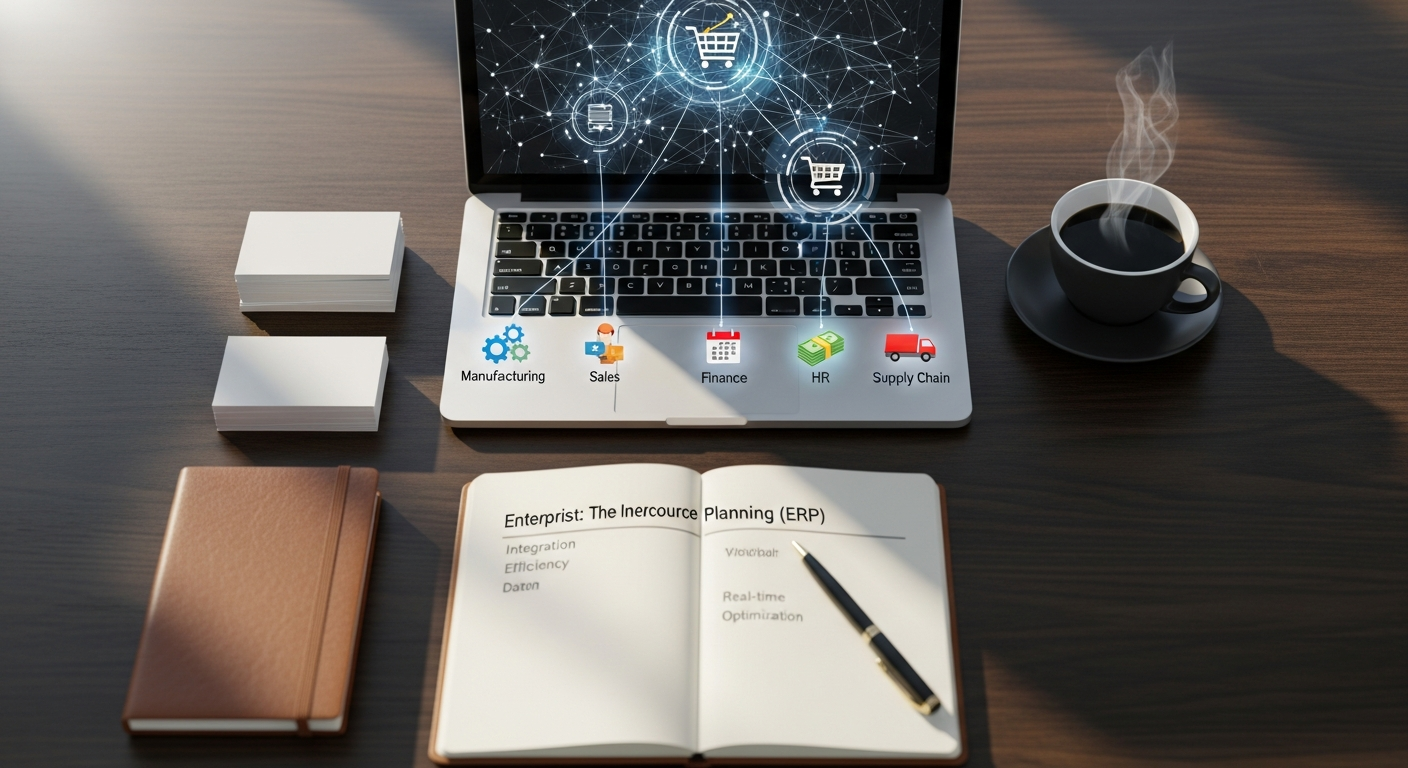
At its core, Enterprise Resource Planning (ERP) is a system designed to integrate all facets of an operation, including product planning, development, manufacturing, sales, and marketing. For SMBs, ERP means consolidating critical business processes into a single, unified software platform. Instead of disparate systems managing finance, inventory, customer relations, and HR, an ERP solution brings them all together, sharing a common database and providing a single source of truth for all business data.
Imagine your business as a complex machine with many moving parts. Without ERP, each part might have its own separate control panel, requiring manual data transfers and constant communication between different departments. This often leads to inefficiencies, data discrepancies, and a lack of real-time visibility. An ERP system acts as the central nervous system, connecting all these parts, automating data flow, and providing a holistic view of your entire operation. This integration is paramount for SMBs striving for agility and informed decision-making in a competitive market.
Historically, ERP implementations were massive undertakings, often requiring significant upfront investment and extensive customization. This made them largely inaccessible to SMBs. However, the advent of cloud-based ERP solutions has revolutionized the landscape. These modern systems are more modular, scalable, and affordable, allowing SMBs to adopt ERP without the heavy infrastructure costs or the need for a dedicated IT department. They offer flexible subscription models, making advanced business management capabilities available to businesses that were previously priced out of the market. In 2026, an ERP system is not just a tool for large enterprises; it’s a strategic imperative for SMBs looking to thrive.
ERP vs CRM vs Accounting Software vs MRP
Many SMBs confuse ERP with accounting software or CRM. The key difference is scope: accounting software manages finances, CRM manages customer relationships, and ERP connects finance, inventory, purchasing, operations, and reporting in one system.
| Software Type | Main Purpose | Departments Involved | Best For | Limitations | When to Upgrade to ERP |
|---|---|---|---|---|---|
| ERP | Integrates all business functions | Finance, Inventory, HR, Sales | Growing SMBs | Complexity | When operational complexity grows |
| CRM | Manages customer relationships | Sales, Marketing | Customer-focused businesses | Limited to customer data | When needing integrated operations |
| Accounting Software | Handles financial transactions | Finance | Small businesses | Limited to financial data | When needing cross-department integration |
| MRP | Focuses on manufacturing resources | Production | Manufacturers | Limited to production | When needing enterprise-wide integration |
What’s Different About ERP for SMBs in 2026?
In 2026, SMB ERP is defined less by basic recordkeeping and more by automation, AI-assisted forecasting, real-time dashboards, and native integrations with ecommerce, payments, shipping, and collaboration tools.
- AI-assisted Reporting: Provides predictive insights and anomaly detection.
- Workflow Automation: Automates routine tasks like invoice matching and order routing.
- Embedded Analytics: Offers real-time KPIs and dashboards.
- Ecommerce/API Integrations: Seamlessly connects with platforms like Shopify and Amazon.
- Mobile Access: Enables task management from any device.
- Cloud Security Controls: Includes RBAC, MFA, and encryption.
- Modular Deployment: Allows for scalable and flexible system expansion.
Why SMBs Can No Longer Afford to Ignore ERP in 2026
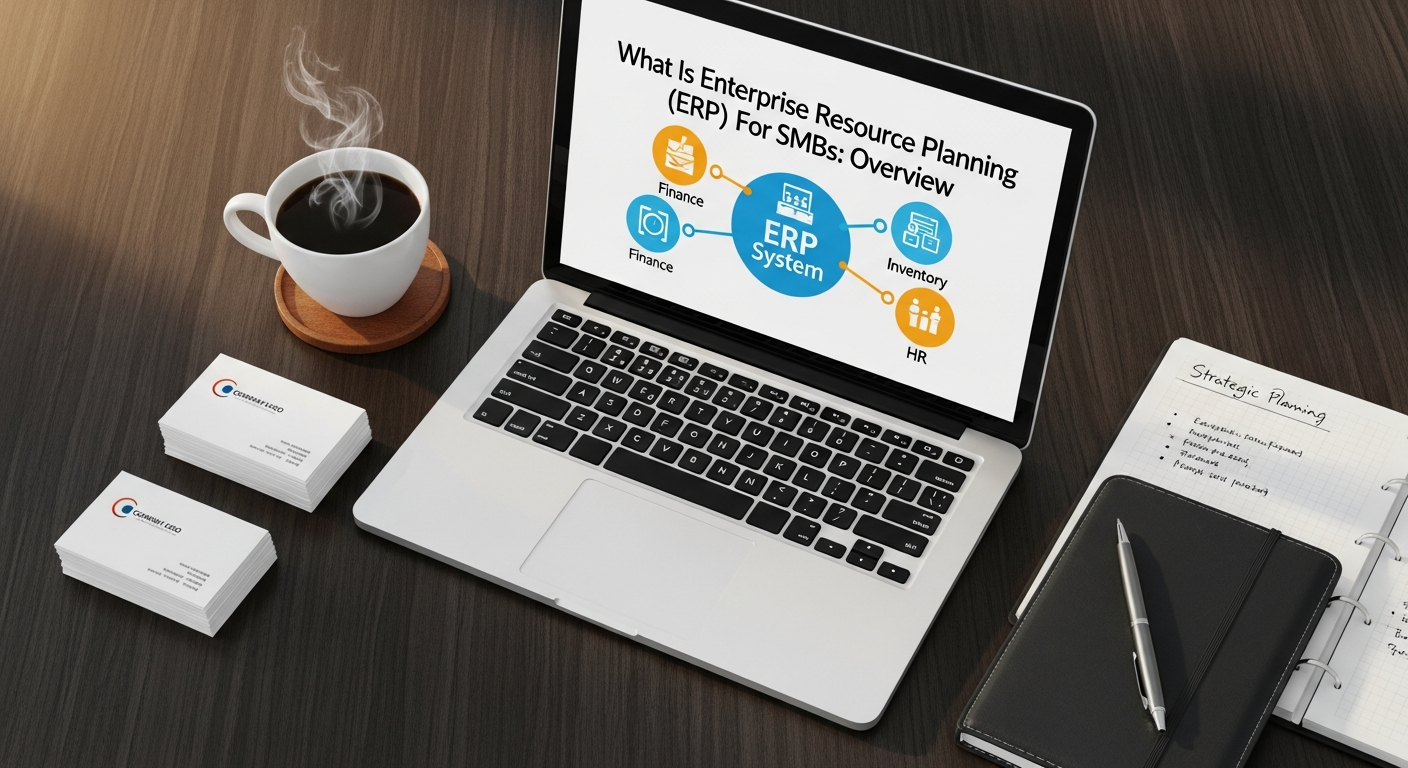
The notion that ERP is only for large enterprises is a myth that progressive SMBs are rapidly dispelling. In today’s dynamic business environment, SMBs face unique challenges that make ERP not just beneficial, but often essential for survival and growth. Without a unified system, SMBs commonly struggle with:
- Data Silos: Information trapped in different departments or applications, leading to duplicated efforts and conflicting data.
- Manual Processes: Reliance on spreadsheets and manual data entry, which are prone to errors and consume valuable time.
- Lack of Real-time Visibility: Difficulty in getting an accurate, up-to-the-minute picture of key performance indicators (KPIs) across the business.
- Scalability Issues: Existing systems failing to keep pace with growth, leading to operational bottlenecks.
- Inefficient Resource Allocation: Mismanagement of inventory, human resources, or finances due to poor data insights.
- Compliance Risks: Difficulty in maintaining regulatory compliance due to fragmented data and manual reporting.
In 2026, the competitive landscape demands that SMBs operate with the same level of efficiency and insight as their larger counterparts. Customers expect seamless experiences, faster deliveries, and personalized service, irrespective of a business’s size. An ERP system empowers SMBs to meet these expectations by providing a foundation for streamlined operations, improved data accuracy, and enhanced decision-making capabilities.
Furthermore, digital transformation is no longer an option but a necessity. SMBs that embrace integrated systems like ERP are better positioned to innovate, adapt to market changes, and respond swiftly to new opportunities. It’s about building a resilient, agile business that can not only compete but also lead in its niche, ensuring long-term viability and profitability.
Core Components and Modules of an SMB ERP System
- Financial Management: This is often the cornerstone of any ERP system. It includes general ledger, accounts payable, accounts receivable, budgeting, financial reporting, and asset management. For SMBs, robust financial management means accurate bookkeeping, simplified tax preparation, better cash flow management, and real-time financial insights critical for strategic planning.
- Customer Relationship Management (CRM): While sometimes offered as a standalone solution, CRM within an ERP system integrates sales, marketing, and customer service functions. It manages customer data, tracks interactions, streamlines sales processes, and improves customer support. This integration ensures that everyone in the organization has a unified view of the customer, leading to better service and more effective sales strategies.
- Inventory Management: Crucial for businesses dealing with physical products, this module tracks stock levels, manages warehouses, handles order fulfillment, and optimizes inventory allocation. For an SMB, efficient inventory management means reducing carrying costs, preventing stockouts, and improving order accuracy. When considering What Is Supply Chain Management Small Business, inventory management is a foundational piece. It directly impacts your ability to manage goods from procurement to delivery efficiently.
- Supply Chain Management (SCM): Beyond just inventory, the SCM module helps SMBs manage the flow of goods and services, from raw materials to final product delivery. This includes procurement, supplier management, logistics, and demand planning. For small businesses, an integrated SCM module can significantly improve efficiency, reduce costs, and enhance responsiveness to market changes. Understanding What Is Supply Chain Management Small Business involves recognizing how ERP can automate and optimize supplier relationships, purchasing, and distribution, ensuring a smooth and cost-effective supply chain.
- Human Resources (HR) Management: This module handles employee data, payroll, benefits administration, recruitment, onboarding, and performance management. For SMBs, an integrated HR module simplifies administrative tasks, ensures compliance, and helps in managing the most valuable asset: your people.
- Project Management: For service-based SMBs or those with project-centric operations, this module helps plan, execute, and monitor projects, tracking tasks, resources, and budgets. It provides visibility into project progress and profitability.
The power of these modules comes from their integration. Data entered in one module immediately updates across all relevant modules, eliminating manual reconciliations and providing a consistent, accurate view of business operations.
The Tangible Benefits of ERP for Small and Medium Businesses
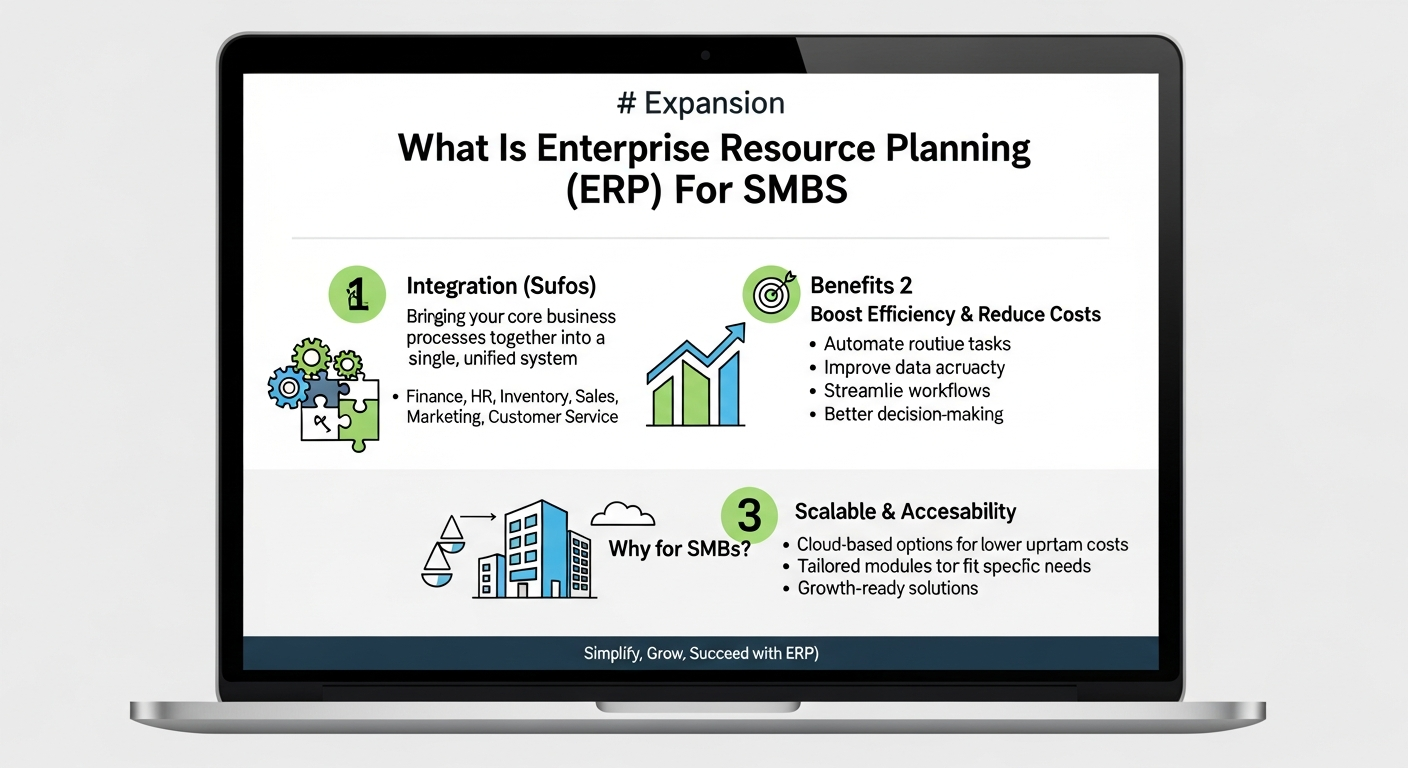
Investing in an ERP system is a strategic decision that can yield a multitude of tangible benefits for SMBs, transforming their operational capabilities and accelerating growth.
Improved Operational Efficiency and Automation
One of the most immediate benefits of ERP is the significant boost in operational efficiency. By automating routine tasks such as data entry, order processing, invoice generation, and financial reporting, ERP systems free up employees from tedious, manual work. This not only reduces human error but also allows staff to focus on more strategic, value-added activities. For an SMB, this means doing more with less, optimizing resource utilization, and streamlining workflows across departments.
Enhanced Data Visibility and Better Decision-Making
With all business data residing in a centralized database, ERP provides SMBs with unparalleled real-time visibility into every aspect of their operations. Financial performance, inventory levels, sales pipelines, customer interactions, and project statuses are accessible at a glance. This unified view empowers decision-makers with accurate, up-to-the-minute information, enabling them to make faster, more informed strategic and tactical decisions. For example, a sales manager can quickly identify top-performing products, while a production manager can adjust schedules based on real-time inventory and demand forecasts.
Cost Savings and Optimized Resource Allocation
While ERP represents an investment, it often leads to substantial cost savings in the long run. By optimizing inventory management, SMBs can reduce carrying costs and minimize waste. Streamlined procurement processes can lead to better supplier negotiations and reduced purchasing costs. Furthermore, improved efficiency across departments reduces labor costs associated with manual tasks and rework. ERP helps SMBs allocate their resources — be it financial, human, or material — more effectively, preventing overspending and maximizing ROI.
Scalability and Support for Growth
Modern ERP systems are designed with scalability in mind, making them ideal for growing SMBs. As your business expands, you can easily add new users, modules, or functionalities without needing to overhaul your entire IT infrastructure. This flexibility ensures that your business management system can evolve alongside your growth, supporting new product lines, market expansions, or increased transaction volumes without disruption. It provides a robust foundation for future expansion, allowing SMBs to seize opportunities without being held back by their technology.
Better Customer Experience and Satisfaction
By integrating CRM functionalities with other modules, ERP systems provide a complete 360-degree view of each customer. Sales, marketing, and customer service teams have immediate access to customer history, preferences, order status, and support interactions. This allows for more personalized service, faster resolution of issues, and more accurate order fulfillment, leading to significantly improved customer satisfaction and loyalty. In 2026, customer experience is a key differentiator, and ERP helps SMBs deliver on that promise.
Regulatory Compliance and Risk Mitigation
ERP systems help SMBs meet various regulatory requirements by providing standardized processes, audit trails, and robust reporting capabilities. This reduces the risk of non-compliance, which can result in hefty fines and damage to reputation. Furthermore, by improving data accuracy and visibility, ERP helps identify and mitigate operational risks, such as potential supply chain disruptions or financial discrepancies.
In essence, ERP transforms an SMB from a collection of disparate functions into a cohesive, data-driven entity capable of achieving greater efficiency, profitability, and sustainable growth.
Navigating the ERP Implementation Journey and Strategic Impact for SMBs
Implementing an ERP system is a significant undertaking, but with careful planning and execution, SMBs can ensure a smooth transition and maximize their return on investment. The journey typically involves several key phases:
1. Planning and Needs Assessment
The first step is to clearly define your business objectives and assess your current operational challenges. What problems are you trying to solve? What processes need improvement? This involves engaging key stakeholders from various departments to gather requirements. Equally important is establishing a realistic budget and timeline.
2. Vendor Selection
Choosing the right ERP vendor and solution is critical. SMBs should look for vendors with a proven track record, industry-specific expertise, and a solution that aligns with their current and future needs. Consider factors like scalability, user-friendliness, integration capabilities, and post-implementation support. Cloud-based ERP solutions are often the preferred choice for SMBs due to their lower upfront costs, reduced IT burden, and greater flexibility.
3. Implementation and Configuration
Once a vendor is selected, the implementation phase begins. This involves configuring the software to match your specific business processes, migrating existing data, and integrating the ERP system with any other essential applications. It’s crucial to have a dedicated project team and clear communication channels to ensure that the implementation stays on track.
4. Training and User Adoption
Even the most advanced ERP system is only as good as the people using it. Comprehensive training for all end-users is paramount to ensure smooth adoption and maximize the system’s benefits. Training should be tailored to different roles and responsibilities, empowering employees to efficiently use the new tools and embrace the changes.
5. Go-Live and Post-Implementation Support
After thorough testing and training, the system goes live. This is often followed by a period of close monitoring and support to address any unforeseen issues and fine-tune the system. Ongoing support and regular updates from the vendor are essential for long-term success.
ERP’s Strategic Impact: Beyond Operations
An ERP system doesn’t just optimize internal operations; it profoundly impacts an SMB’s overall business strategy. By providing a unified view of data, ERP empowers strategic decision-making across all functions, from product development to market entry. For instance, detailed sales data combined with inventory insights can inform pricing strategies and promotional campaigns.
Consider the interplay with marketing. ERP data can significantly enhance your marketing efforts. By consolidating customer purchase history, preferences, and interactions, you gain a deeper understanding of your target audience. This insight is invaluable when considering Inbound Marketing Vs Outbound Marketing. For inbound marketing, ERP data allows for highly personalized content creation and targeted campaigns, attracting customers with relevant solutions to their specific needs. For outbound marketing, it enables more precise segmentation of your audience, ensuring that your messages reach the most receptive prospects, thereby maximizing the return on your marketing spend. In 2026, data-driven marketing is key, and ERP provides the foundation for it.
Furthermore, by streamlining the supply chain and financial processes, ERP allows SMBs to respond more quickly to market shifts, identify new opportunities, and maintain a competitive edge. It’s about building an intelligent, adaptive business that is ready for the challenges and opportunities of the future.
Choosing the Right ERP Solution for Your SMB and Future-Proofing
Selecting the ideal ERP solution is a critical decision that will impact your SMB for years to come. It’s not just about finding software; it’s about partnering with a vendor whose solution aligns with your strategic vision for 2026 and beyond. Here are key factors to consider:
1. Industry-Specific Features
While many ERP systems offer general functionalities, some are specifically designed for certain industries (e.g., manufacturing, retail, professional services). An industry-specific solution often comes with pre-built features and best practices that can significantly reduce customization needs and accelerate implementation. Research solutions tailored to your niche.
2. Scalability and Flexibility
Your business will evolve, and your ERP system must be able to evolve with it. Ensure the solution can accommodate increased user counts, transaction volumes, and the addition of new modules or functionalities as your SMB grows. Cloud-based ERP systems inherently offer greater scalability and flexibility compared to on-premise solutions, making them a popular choice for SMBs.
3. User-Friendliness and Accessibility
A complex, difficult-to-use system will face resistance from employees and hinder adoption. Prioritize solutions with intuitive interfaces and user-friendly navigation. Mobile accessibility is also increasingly important, allowing your team to access critical data and perform tasks from anywhere, at any time.
4. Vendor Reputation and Support
Research the vendor’s reputation, customer reviews, and their commitment to ongoing support and updates. A good vendor will provide comprehensive training, responsive customer service, and a clear roadmap for future enhancements. A strong partnership with your ERP vendor is crucial for long-term success.
5. Total Cost of Ownership (TCO)
Look beyond the initial purchase price or subscription fee. Consider all costs, including implementation, customization, training, ongoing maintenance, and potential integration fees. Cloud ERPs typically have lower upfront costs but involve ongoing subscription fees. Ensure the TCO fits within your budget and offers a clear ROI.
6. Integration Capabilities
Your ERP system will likely need to integrate with other existing software, such as e-commerce platforms, payment gateways, or specialized design tools. Verify the ERP’s ability to seamlessly connect with these systems to avoid data silos and ensure a unified operational flow.
7. Cloud vs. On-Premise
For most SMBs in 2026, cloud-based ERP is the preferred choice. It offers numerous advantages:
- Lower Upfront Costs: No need for expensive server hardware or IT infrastructure.
- Reduced IT Burden: The vendor manages maintenance, updates, and security.
- Greater Accessibility: Access your system from anywhere with an internet connection.
- Automatic Updates: Always on the latest version with new features and security patches.
- Enhanced Scalability: Easily scale resources up or down as needed.
On-premise solutions offer more control and customization but come with higher costs and a greater IT management responsibility, which is often a burden for SMBs.
By carefully evaluating these factors, SMBs can select an ERP solution that not only meets their current needs but also serves as a robust foundation for future growth and competitive advantage in the years to come.
Frequently Asked Questions
Recommended Resources
You might also enjoy How To Use Linkedin For Marketing from Page Release.
SMB ERP Vendor Landscape: The Complete Guide
Leading Cloud ERP Vendors for SMBs (2026)
The cloud ERP market for SMBs is led by a set of well-established vendors covering different company sizes and industries. Gartner’s Magic Quadrant for Cloud ERP for Product-Centric Enterprises (2024) and Gartner’s midmarket ERP analysis provide independent evaluations:
- Oracle NetSuite: The most widely deployed cloud ERP for SMBs — 37,000+ customers in 217 countries. Founded 1998 as NetSuite, acquired by Oracle 2016 for $9.3B. Strongest for: multi-entity/multi-subsidiary organizations, e-commerce integration (Shopify/Amazon), professional services, wholesale distribution, and software companies. Pricing: ~$999/month base license + $99/user/month. Implementation: 3-9 months for mid-market. Leader in Gartner Magic Quadrant for Cloud ERP (product-centric mid-market).
- SAP Business One: SAP’s SMB-focused ERP (separate from enterprise S/4HANA) — 80,000+ customers, 150+ countries. Strong in manufacturing, distribution, and retail for companies with $10M-$500M revenue. Available as on-premises or SAP Business One Cloud (hosted by partners). SAP Partner ecosystem: 1,000+ certified SAP Business One implementation partners globally. Pricing: $108-180/user/month for cloud; on-premises perpetual license + annual maintenance (~20% of license value).
- Microsoft Dynamics 365 Business Central: Microsoft’s SMB cloud ERP — formerly Navision/NAV, rebranded 2018. Deeply integrated with Microsoft 365 (Teams, Excel, Outlook), Power BI, and Azure. 40,000+ customers. Strong for professional services, retail, manufacturing. Pricing: Essential plan $70/user/month; Premium plan $100/user/month. Native AI with Microsoft Copilot embedded (2024). Massive partner ecosystem (largest of any ERP by partner count).
- Acumatica: Cloud-native ERP launched 2008 — unusual pricing model: consumption-based (charge by computing resources, not per user). Particularly strong for construction (Acumatica Construction Edition), distribution, manufacturing, and retail. 10,000+ customers. Consistently ranked highest in customer satisfaction (Nucleus Research, G2). 100% channel-sold through VARs — no direct sales.
- Odoo: Open-source ERP — community edition is free (self-hosted); Odoo Enterprise starts at $31.10/user/month. Modular architecture: 50+ integrated apps (CRM, eCommerce, Accounting, Manufacturing, HR, Project). 12M+ users globally. Best for budget-conscious SMBs willing to invest in implementation. Strong in e-commerce-integrated businesses. Odoo Community = free but limited support; Enterprise = licensed + Odoo SH cloud hosting available.
- Sage Intacct: AICPA-preferred cloud financial management — acquired by Sage Group 2017. Strong in financial services, nonprofits, healthcare, hospitality, and professional services. GAAP-compliant multi-entity consolidation is a flagship feature. Preferred by finance teams needing more than accounting software but not full ERP breadth. Pricing: project-based; typically $15,000-$50,000/year for SMBs. AICPA’s exclusive cloud financial management business solution endorsement.
ERP Vendor Comparison Matrix
| Vendor | Best For | Starting Price | Deployment |
|---|---|---|---|
| NetSuite | Multi-entity, e-commerce, SaaS companies | ~$999/mo base + $99/user | Cloud only |
| SAP Business One | Manufacturing, distribution, international | ~$108/user/mo cloud | Cloud or on-prem |
| Dynamics 365 BC | Microsoft-ecosystem companies, retail, services | $70/user/mo (Essential) | Cloud (Azure) or on-prem |
| Acumatica | Construction, distribution, high user-count | Consumption-based (request quote) | Cloud or on-prem |
| Odoo | Budget-conscious SMBs, e-commerce | Free (Community) / $31/user/mo | Self-hosted or Odoo SH |
| Sage Intacct | Finance-heavy, nonprofits, professional services | ~$15,000-$50,000/yr | Cloud only |
ERP Implementation: Timeline, Costs, and Phases
ERP implementation is one of the most complex IT projects an SMB can undertake. Realistic expectations:
- Timeline by company size:
- Small (<50 employees, single entity): 2-4 months for cloud ERP
- Mid-market (50-250 employees): 4-9 months
- Upper mid-market (250-500 employees, multi-entity): 9-18 months
- Total Cost of Ownership (Year 1):
- Software licenses: $15,000-$100,000/year (SMB range)
- Implementation services: 1-3x annual license cost (the most frequently underestimated cost)
- Data migration: $5,000-$30,000+ depending on data volume and cleanliness
- Training: $200-500/employee; plan for 20-30 hours per power user
- Integration development (connecting existing systems): $5,000-$50,000+
- Standard implementation phases:
- Discovery / Blueprint (2-4 weeks): document business requirements, gap analysis, go-live scope
- Configuration (4-12 weeks): build the system to spec
- Data Migration (parallel): cleanse legacy data, map fields, test migration
- Integration Development (parallel): build API connections to other systems
- User Acceptance Testing / UAT (2-4 weeks): end-users validate the system
- Training (2-3 weeks pre-go-live)
- Go-Live and Hypercare (4-8 weeks post-go-live dedicated support)
ERP Integration Middleware
Most SMBs connect their ERP to other systems (e-commerce, CRM, banking, payroll, 3PL). Integration middleware options:
- MuleSoft (Salesforce): Enterprise integration platform — API-led connectivity for complex enterprise integration architectures. Industry leader. Used by 35%+ of Fortune 500 for system integration. High implementation cost; typically for larger SMBs and enterprises.
- Dell Boomi: Cloud-native iPaaS (Integration Platform as a Service) — 600,000+ managed integrations, 200M+ integrations monthly. More accessible than MuleSoft for mid-market. Low-code integration builder.
- Celigo: SMB-focused iPaaS — pre-built “SmartConnectors” for common integrations (NetSuite ↔ Shopify, NetSuite ↔ Salesforce, etc.). More affordable than MuleSoft/Boomi; strong for NetSuite ecosystem customers.
- Make (formerly Integromat): Low-code automation/integration platform — alternative to Zapier for more complex workflows. 200,000+ organizations. Competitive pricing for high-volume integrations.
Related Business Operations Guides
Expanded ERP Landscape and Buyer Decision Guide
Additional ERP Vendors to Consider
- Epicor: Manufacturing-focused ERP — Epicor Kinetic (cloud) and Epicor Prophet 21 (distribution). 20,000+ customers, strong in automotive, electronics, building materials, and industrial manufacturing. Particularly strong in complex discrete manufacturing with detailed shop floor management. Epicor acquired by KKR in 2020; ~$1B revenue. Pricing: mid-market range, project-based.
- QuickBooks Online / QuickBooks Enterprise: Important to evaluate before ERP — QuickBooks Online ($30-200/month, Intuit) handles basic accounting for companies up to approximately $5M revenue. QuickBooks Enterprise ($1,922-3,600/year) extends to 40 users with basic inventory and job costing. Organizations frequently upgrade from QuickBooks to an ERP when: they exceed 5 legal entities, need real-time multi-location inventory, require manufacturing/MRP functionality, or need more than 40 concurrent users. Understanding this threshold helps SMBs time their ERP evaluation correctly rather than migrating too early.
- Sage Intacct vs. Sage 50/100: Note: Sage Group makes multiple products — Sage 50 (Peachtree) and Sage 100 are on-premises legacy products for very small businesses, while Sage Intacct is a modern cloud financial management platform for $10M-$500M revenue organizations. The products target very different market segments; ensure you evaluate the correct Sage product for your size.
- FinancialForce (now Certinia): ERP built natively on the Salesforce platform — particularly strong for professional services firms that are already Salesforce customers. Covers project management, resource management, project accounting, and billing — native Salesforce integration eliminates the need for complex integration middleware. Now marketed as Certinia (rebranded 2023).
ERP Buyer Decision Matrix by Business Type
| Industry / Profile | Revenue Range | Recommended ERP(s) | Key Requirement |
|---|---|---|---|
| E-commerce / Multi-channel retail | $3M-$50M | NetSuite, Odoo | Shopify/Amazon integration, multi-warehouse inventory |
| Wholesale / Distribution | $10M-$200M | Acumatica, SAP B1, Epicor P21 | Inventory management, lot/serial tracking, 3PL integration |
| Light Manufacturing | $5M-$100M | Acumatica Mfg, SAP B1, Epicor Kinetic | BOM, work order management, MRP |
| Professional Services / Consulting | $5M-$100M | NetSuite, Certinia (Salesforce-native) | Project accounting, resource management, time/expense |
| Nonprofit / Education | $5M+ | Sage Intacct, NetSuite | Fund accounting, grant management, GAAP multi-entity |
| Multi-entity / International SMB | $20M+ | NetSuite, Microsoft Dynamics 365 BC | Multi-currency, multi-subsidiary consolidation, intercompany |
| Budget-conscious / Startup | $1M-$10M | Odoo (Community or Enterprise) | Modular adoption, lowest TCO, open-source flexibility |
ERP Security Attestations: SOC 1 vs. SOC 2
When evaluating cloud ERP vendors, request and review their security attestation reports:
- SOC 1 (SSAE 18): Service Organization Control 1 — reports on internal controls relevant to a user entity’s financial reporting (ICFR). Relevant for ERP vendors that process financial transactions affecting your financial statements. Two types: Type I (point-in-time; are controls designed?) and Type II (6-12 month period; are controls operating effectively?). Required if your auditors need to rely on the vendor’s controls for your financial statement audit.
- SOC 2: Reports on controls at the service organization relevant to the Trust Service Criteria: Security, Availability, Processing Integrity, Confidentiality, and Privacy. More relevant for cloud ERP data security and availability commitments. Type II (most rigorous) should be requested. All major ERP vendors (NetSuite, Dynamics 365, Sage Intacct) maintain SOC 2 Type II reports — request the current report and the “letter of attestation” from your vendor.
- SSAE 18 (previously SSAE 16): The auditing standard governing SOC reports, issued by the AICPA. All SOC reports are issued under SSAE 18 as of May 2017. When a vendor says “we have SSAE 18 compliance” — they mean their SOC report was issued under this standard, not that SSAE 18 is a separate certification.
ERP Implementation Methodologies
- SuiteSuccess (Oracle NetSuite): NetSuite’s pre-built, industry-specific implementation methodology — editions for wholesale distribution, manufacturing, services, retail, and nonprofit. SuiteSuccess includes pre-configured workflows, chart of accounts, reports, dashboards, and KPIs for each industry. Designed to reduce implementation time by 30-50% vs. custom implementations. Most NetSuite partners implement using SuiteSuccess as the foundation.
- Microsoft Sure Step / FastTrack for Business Central: Microsoft’s structured implementation methodology for Dynamics 365 Business Central — includes diagnostic, analysis, design, development, deployment, and operation phases. FastTrack is Microsoft’s direct technical support program for qualifying Business Central implementations, providing guidance from Microsoft engineers during go-live. Ensures alignment with Microsoft best practices and reduces implementation risk.
- ASAP (AcceleratedSAP) / SAP Activate (for Business One): SAP’s structured implementation methodology — SAP Activate for S/4HANA; SAP Business One has its own implementation methodology managed through SAP’s partner network. SAP Qualified Partners provide preconfigured solutions (“SAP Best Practices” content) to accelerate SMB implementations.
Additional ERP Vendors, KPIs, and AI-Enhanced Capabilities
Enterprise and Specialized ERP Vendors
The ERP market extends beyond the major SMB platforms to include specialized solutions:
- Infor — Industry-specific cloud ERP for mid-market and enterprise. Infor CloudSuite Industrial (SyteLine) targets discrete manufacturers; Infor M3 serves process manufacturing (chemicals, food/beverage, fashion); Infor LN is strong in aerospace/defense and automotive. Acquired by Koch Industries (2020) after KKR/Canada Pension Plan Investment Board exit. Revenue ~$3.4B. Infor’s “last mile” approach embeds deep industry-specific workflows that horizontal ERPs require expensive customization to match.
- IFS — Swedish ERP and field service management platform. IFS Cloud is particularly strong in asset-intensive industries (aerospace/defense, energy/utilities, construction, manufacturing). IFS is the dominant ERP in defense supply chains — used by BAE Systems, Boeing subcontractors, and NATO-aligned manufacturers. IFS FSM (Field Service Management) is separately one of the leading field service platforms. Revenue ~$1B; private equity backed (EQT Partners).
- SYSPRO — Manufacturing and distribution ERP targeting the lower mid-market ($5M-$100M revenue). Particularly strong in food and beverage, electronics, automotive components, and industrial manufacturing in Africa, Australia, and North America. SYSPRO 8 is the current cloud/hybrid version. 15,000+ customers, 50+ countries. Often selected by manufacturers who find SAP Business One too complex but need more manufacturing depth than Acumatica.
- Workday — Cloud HCM (Human Capital Management) and Financial Management platform. Workday is not a traditional ERP — it does not include manufacturing or supply chain management. However, for professional services firms, financial institutions, and large enterprises, Workday’s HCM + Financials combination serves as their “ERP core.” Revenue $7.3B (FY2024). Customers: Amazon, Walmart, AstraZeneca. The key distinction: Workday is a people + finance system; it typically integrates with a separate supply chain or manufacturing ERP rather than replacing it.
Key ERP Performance KPIs to Track Post-Implementation
Measuring ERP ROI requires tracking operational metrics that improve as a direct result of system integration:
- Days Sales Outstanding (DSO) — The average number of days it takes to collect payment after a sale. DSO = (Accounts Receivable / Revenue) × Number of Days. ERP automation of AR workflows (invoice generation, payment reminders, cash application) typically reduces DSO by 15-25% post-implementation. Industry benchmark: 30-45 days for B2B companies.
- Inventory Turnover Ratio — How many times inventory is sold and replaced in a period. Inventory Turnover = COGS / Average Inventory. ERP’s real-time inventory visibility and demand forecasting (especially with AI/ML modules) typically improves turnover by 10-20%. Low turnover = excess inventory cost; high turnover = stockout risk. Benchmark varies widely by industry (8-12x for grocery, 2-4x for heavy equipment).
- Order Fulfillment Cycle Time — Time from order receipt to shipment. ERP integration between order management, warehouse management, and shipping carriers directly reduces this metric. Benchmark: B2B manufacturers target 3-5 business days for standard orders.
- Gross Margin Return on Inventory Investment (GMROI) — Gross Profit / Average Inventory Cost. Measures how effectively inventory generates gross profit. ERP inventory optimization directly improves GMROI.
- System Adoption Rate — % of employees actively using ERP modules vs. shadow systems (spreadsheets, side tools). Target: 85%+ within 6 months of go-live. Low adoption is the primary predictor of failed ERP ROI realization.
AI and RPA Embedded in Modern ERP (2026)
The distinction between ERP and AI is disappearing in 2026 as major vendors embed machine learning and automation directly into core modules:
- Embedded AI features now standard: Anomaly detection in financial transactions (flags duplicates, outliers), demand forecasting using ML (improves inventory positioning vs. simple historical averages), intelligent cash flow forecasting (scenario modeling), automated expense categorization, and natural language queries against ERP data (“What is my YTD gross margin by product line?”).
- Microsoft Copilot in Dynamics 365 BC: Microsoft embedded Copilot AI directly into Business Central (2024) — enables natural language-to-action commands (“Create a purchase order for the 10 items below safety stock level”), automated draft email generation for overdue invoices, and AI-assisted financial narrative generation for month-end reporting.
- Oracle NetSuite AI: NetSuite’s “Intelligent Cloud Suite” features include predictive risk scoring for AR (likelihood customer will pay late), automated bill matching, and AI-driven financial planning (PBCS integration).
- RPA Integration: Many SMBs layer Robotic Process Automation (RPA) on top of their ERP to automate processes across multiple systems without API integration. UiPath and Automation Anywhere both offer pre-built ERP bots for SAP, NetSuite, and Dynamics. Common use cases: automated invoice processing from email to ERP, bank reconciliation automation, and month-end close checklists.
ERP Analytics & BI Integration (2026)
Business Intelligence tools paired with ERP:
- Microsoft Power BI: Native integration with Dynamics 365 BC via DirectQuery — real-time ERP dashboards embedded in Teams. 50M+ monthly active users. Pre-built ERP report packs for finance, inventory, and sales. Most commonly paired with Dynamics 365 BC and SAP Business One.
- Tableau (Salesforce): Connects to NetSuite, SAP, and Acumatica via JDBC/ODBC or native connectors. Particularly strong for executive-level visual analytics. Acquired by Salesforce 2019 ($15.7B). Tableau Pulse (2024) provides AI-generated metric narratives.
- Looker (Google Cloud): LookML semantic layer enables multi-ERP data modeling. Strong for SMBs on Google Cloud / BigQuery. Acquired by Google 2020 ($2.6B). Looker Studio (free) integrates with NetSuite and Odoo via community connectors.
Data Migration & ETL for ERP Implementations: ERP data migration is consistently cited as the #1 cause of implementation delays (Panorama Consulting Group ERP Report 2024). Key concepts:
- ETL (Extract, Transform, Load): Standard process for migrating legacy data to ERP. Tools: Talend, Informatica PowerCenter, Microsoft SSIS, AWS Glue. Plan for 20-30% of data requiring cleansing before migration.
- MDM (Master Data Management): Establishing a single authoritative record for customers, vendors, products, and GL accounts before go-live. Poor MDM is the leading cause of ERP reporting inaccuracies post-go-live. Vendors: Informatica MDM, SAP MDG (Master Data Governance), Stibo Systems.
- Data warehouse integration: Many mid-market SMBs connect their ERP to Snowflake or Microsoft Azure Synapse Analytics for historical reporting, freeing the ERP OLTP database for transactional performance.
ERP Analyst Coverage: Beyond Gartner, the key ERP analyst firms are: Forrester Research (Forrester Wave: Cloud ERP for Midsize Enterprises — evaluates strategy, current offering, and market presence); IDC (IDC MarketScape: Worldwide Cloud ERP 2024 — IDC tracks market share and vendor growth metrics for cloud ERP); Panorama Consulting Group (annual ERP Report — independent survey of 100+ SMB/enterprise ERP implementations; tracks budget overruns, implementation duration, and benefits realization); Nucleus Research (ROI research — publishes vendor-specific ROI case studies; average ERP ROI documented at $7.23 return per $1 invested, Nucleus Research 2024).
ERP ROI: Worked Example & Vendor “Best For” Summary
Sample ERP ROI Calculation (Mid-Market Distributor, Year 1):
- Annual software license: $45,000 (Acumatica mid-tier, ~15 users)
- Implementation services: $90,000 (1-3x license; 2x used here)
- Training and change management: $12,000
- Total Year 1 cost: $147,000
- Benefits: Inventory reduction 18% ($540k inventory × 18% = $97,200 carrying cost savings); AR DSO improvement 12 days (reduced factoring cost ~$30,000); labor savings from automation (3 FTE × 20% time = 0.6 FTE × $60k = $36,000)
- Year 1 benefits: ~$163,200 → Net Year 1 ROI: +$16,200 (11%)
- Year 2-3 payback accelerates as implementation costs are non-recurring. Positive 3-year NPV typical for SMBs with $10M+ revenue (Nucleus Research methodology).
Vendor “Best For” Quick Reference:
- Oracle NetSuite — Best for: multi-entity companies, SaaS businesses, e-commerce + wholesale, fast-growing SMBs expanding globally
- SAP Business One — Best for: manufacturers and distributors with complex inventory, companies needing strong SAP partner ecosystem support
- Microsoft Dynamics 365 BC — Best for: Microsoft 365 shops, retail, professional services, companies wanting deep Teams/Excel/Outlook integration
- Acumatica — Best for: construction, distribution, manufacturing; high user-count companies where per-user pricing is prohibitive
- Odoo — Best for: budget-conscious SMBs, e-commerce businesses, startups wanting modular adoption with low initial TCO
- Sage Intacct — Best for: finance-first organizations (nonprofits, professional services, healthcare) needing multi-entity consolidation and GAAP compliance
- Infor CloudSuite — Best for: industrial manufacturers, aerospace/defense, chemicals, food/beverage requiring deep last-mile industry workflows
- IFS Cloud — Best for: asset-intensive industries (defense supply chain, energy, utilities, MRO operations)
For understanding the operational efficiency frameworks that ERP data enables, see our How to Improve Operational Efficiency guide. For outsourcing strategies that complement your ERP implementation, see our Business Process Outsourcing guide.
From Our Network
- how to open a brokerage account guide (en Tradingcosts)
- conversion rate optimization tips (en Pagerelease)